Bring it to the nearest branch or call
- Vilnius Kareivių g. 11A +370 655 77057
- Kaunas Savanorių pr. 155 +370 639 69600
- Klaipėda Sausio 15-osios g. 13 +370 647 07741
- Šiauliai Gegužių g. 30 +370 682 29052
All branches are open Mon–Fri 9:00–18:00
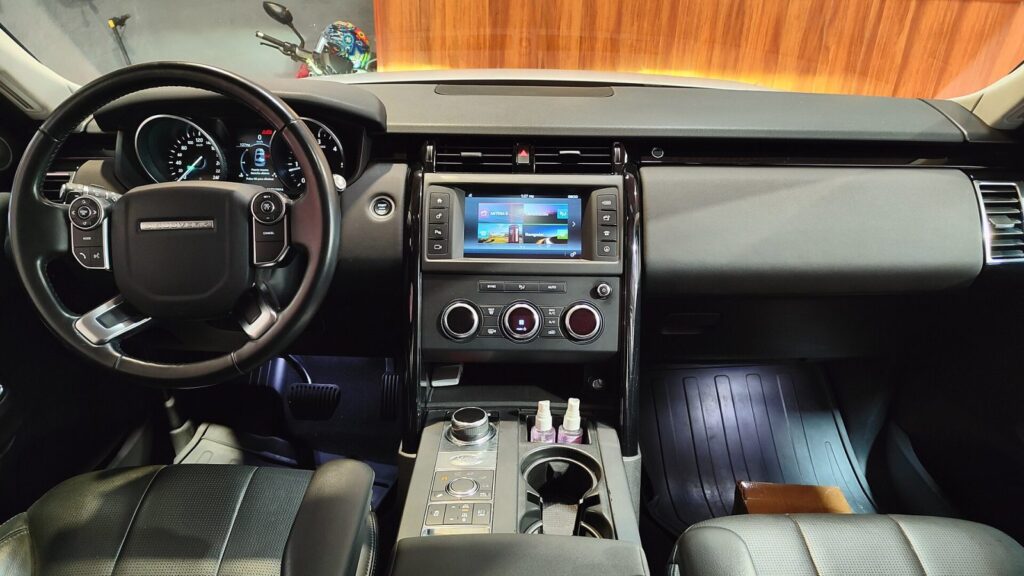
Looking to get or update a Land Rover navigation system that no longer recognises new roads, roundabouts or bypasses? On this page you will find all six factory-fitted systems – from CD and DVD to hard disk drive (HDD) – and learn which one is in your car.
Below you will find a price table, the most common causes of faults, tips on choosing between repair and update, and a simple process: from drop-off to pick-up. If your car is not on the list, describe it at a branch – we will tell you whether we can help.
Land Rover navigation prices
Indicative prices for the most common Land Rover navigation services.
| Service | Price | Warranty |
|---|---|---|
| Map update for CD system (lr4) | from 50 € | – |
| Map update for DVD system (lr1, lr2, lr3) | from 60 € | – |
| HDD map update (lr5, lr6) | from €80 | – |
| Navigation system diagnostics | from €20 | – |
| GPS antenna or connector repair | from €40 | – |
| DVD / CD reader repair | from 60 € | – |
| HDD replacement and map installation | from 120 € | – |
Most common Land Rover navigation problems
Below are the most common symptoms, their causes and what can usually be done.
Why the navigation does not work in a Land Rover
The cause may be the disc reader, the hard drive, a software error or a poor contact. In older systems, mechanical parts fail more often.
What you can check yourself: Turn the ignition off and on again, and wait a minute. Make sure the disc is suitable for your system and is not scratched.
We carry out diagnostics (from 20 €), identify the location of the fault and offer a solution – from installing maps to replacing parts.
The screen shows “No disc” or the disc cannot be read
Most often it is a worn laser reader, a dirty lens or a damaged disc. Sometimes the disc simply does not fit the specific system version.
What you can check yourself: Check that the disc is clean and not scratched, and that the discs are in the correct order (DVD1, DVD2, DVD3).
We clean or replace the DVD / CD reader and check the connections. Repair – from 60 €.
The navigation shows an old map, new roads are missing
The map data has not been updated, and new junctions and bypasses keep appearing. This is not a fault.
What you can check yourself: Find out which system is installed (lr1–lr6) so that you know what type of update is needed.
We install the latest maps of Lithuania and Europe: CD from 50 €, DVD from 60 €, HDD from 80 €. More about the process – on the page about navigation map updates.
The navigation cannot find satellites or shows the wrong location
The GPS antenna may be disconnected or damaged, the connectors may be oxidized, or there may be a software fault. After an audio system replacement, the antenna is sometimes left unconnected.
What you can check yourself: Drive to an open area without buildings and wait a few minutes. Remove any foreign objects from the dashboard.
We check the antenna, cables and connectors and replace damaged parts. Repair – from 40 €.
HDD navigation freezes, crackles or does not load
An older hard drive wears out and develops bad sectors, so the system takes a long time to load or does not start at all. This is typical of lr5 and lr6 systems.
What you can check yourself: Do not try to disassemble the system or remove the HDD yourself – this may make the condition worse. It is better to contact a branch.
We diagnose the drive, replace it if necessary and install the maps – from 120 €.
Navigation screen is dark or shows no image
Loss of image may be caused by problems with the screen, the cable or the power supply. Sometimes a weak contact in the connector is to blame.
What you can check yourself: Check the screen brightness settings and the fuses according to the car’s manual.
After diagnostics, we determine whether the problem lies in the screen or the control unit, and offer a repair – from 40 €.
Navigation does not turn on after battery replacement
When the power is disconnected, some systems require a code or need to be synchronized again. Less often, the condition of the fuses or connectors changes.
What you can check yourself: Check that you have the system code and that the fuses are intact.
We check the power supply and system startup and, if necessary, restore the software. The price is determined after diagnostics.
Navigation without internet – does the Land Rover system work?
Factory CD, DVD and HDD maps are stored in the system itself, so no connection is needed for them. Unlike Google Maps, they do not show real-time traffic congestion.
If you want newer maps, an update is available depending on your system type (lr1–lr6).
Land Rover navigation: which system is installed in your car?
Several generations of navigation systems have been used in Land Rover and Range Rover vehicles, so you first need to determine which system you have. This depends not only on the model, but also on the year of manufacture.
Below is a summary of the systems according to the codes we use. If you are unsure, bring your car documents or take a photo of the menu screen – that is usually enough.
- lr1 – Denso C1 with DVD: Discovery 3 (2004.10–2009.06), Range Rover (2004.05–2009.06), Range Rover Sport (2005.03–2009.06).
- lr2 – Denso C2 with DVD: Freelander 2 from 2006.06.
- lr3 – Denso from the USA with DVD: Discovery 3 (2004.10–2009.06), Range Rover (2004.05–2009.06), Range Rover Sport (2005.03–2009.06) and Freelander 2 from 2006.06.
- lr4 – CD system: Rover 75 with a colour screen (2000–2008), Discovery and Freelander up to 2005, Range Rover up to 2005.
- lr5 – VN with HDD: Land Rover 2010–2012, Discovery 4, Range Rover and Range Rover Sport (2010.01–2012).
- lr6 – Gen 2.1 T1000 with HDD: Discovery 4 from 2010.01, Evoque from 2012, Range Rover Sport from 2012.
If the car was imported from the USA or the United Kingdom, the system may differ from the one described here – in that case, it is better to check before ordering.
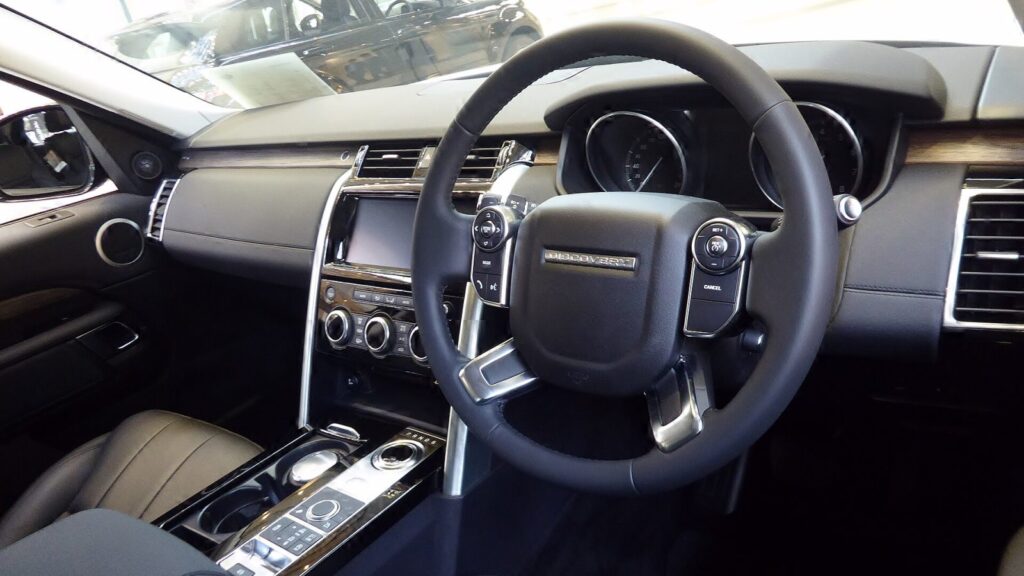
What you get with map discs and an HDD update
For DVD systems (lr1–lr3), a set of three discs is provided. DVD1 covers Ireland, Andorra, the United Kingdom, Gibraltar, Spain, Monaco, Portugal and France. DVD2 covers Austria, Belgium, the Czech Republic, Denmark, Italy, Norway, the Netherlands, Finland, Sweden, Switzerland, Germany and the smaller states.
DVD3 is intended for the eastern part of Europe: Lithuania is presented here in detail, together with Latvia, Estonia, Poland, Romania, Bulgaria, Turkey, Ukraine and other Balkan countries. If you are travelling to Scandinavia or Western Europe, it is worth checking that the corresponding disc is included in the set.
For the CD system (lr4), the maps are divided into 13 discs – from Belgium, the Netherlands and Luxembourg to a separate Eastern Europe disc with detailed Lithuania. In HDD systems (lr5, lr6), the maps are written directly to the car’s hard drive, so there is no need to change discs.
For a more general explanation of how satellite navigation determines location, see the article on how a GPS navigation system works.
Land Rover navigation repair or update: which to choose?
Not every „bad” navigation performance means a fault. If the system starts up and finds satellites but does not know new streets or roads, the maps are simply outdated and an update is enough.
If the screen shows „No disc” or „Insert disc”, the system keeps restarting, or you can hear crackling from the HDD, this is already a technical problem, and a new map disc will not solve it. In that case, diagnostics are needed first.
In older systems (lr1, lr4), the readers often wear out because of laser ageing, while in HDD systems (lr5, lr6) drive failure is one of the most common reasons why navigation stops working after many years. Whether to replace a part or whether a software update is enough, we decide after inspection, not in advance.
- An update is suitable when the system works but the maps are old.
- A repair is needed when the disc is not read, no image is displayed or satellites cannot be found.
- If you are unsure, bring in your car or its navigation unit and we will check it.
Before you come in, note exactly what the screen shows – a message or an error code significantly speeds up diagnostics.
Navigation for other makes and devices
If you also have another British car, see the page about Jaguar navigation updates – some of the systems are similar. General information about map updates can be found on the navigation updates page.
There is a separate page for portable devices: TomTom, Garmin and iGo updates. If you are bringing in several cars, it is enough to state the make, model and year of each.
How Land Rover navigation repair and updating works
- Visit a branch. Come to our Vilnius, Kaunas, Klaipėda or Šiauliai branch Mon–Fri 9:00–18:00. Tell us the car model, year and symptoms.
- We identify the system type. Based on the model and year, we determine which system (lr1–lr6) is installed and which discs or data it requires.
- Diagnostics. We check the reader, the disc, the antenna and the software, so we can distinguish a fault from simple map aging.
- We agree on the price. Before we start, we tell you the exact price and scope of work. We do nothing without your consent.
- Repair or update. We replace the faulty part or install the latest maps of Lithuania and Europe.
- Pick-up. You collect the repaired system with the latest maps or the replaced part.
Frequently asked questions about Land Rover navigation
How much does a Land Rover navigation update cost?
A map update costs from 50 € for a CD system, from 60 € for a DVD system and from 80 € for an HDD system. We will give you the exact amount once we have confirmed the model and system type.
Can navigation be updated for free?
Our update service is paid, and its price depends on the system type. We agree on the exact amount before starting work.
How can I find out which navigation is installed in my car?
The system (lr1–lr6) can be identified by the model and year of manufacture. If you are unsure, come to a branch or take a photo of the navigation menu.
Can the Evoque and Discovery 4 systems be updated?
Yes, the Discovery 4 from 2010 and the Evoque from 2012 use HDD systems (lr5 or lr6), and their maps are updated by writing new data.
Does Land Rover navigation work without the internet?
Yes, the factory maps are stored on a disc or HDD, so no connection is needed. However, such a system will not show real-time traffic information.
Can I use Google Maps instead of the factory navigation?
On your phone – yes. The factory system has its own maps and does not require a mobile connection, so many drivers use both.
How long does the repair take?
The timeframe depends on the fault and the parts; we will tell you after diagnostics.
Where can I get a navigation repair service?
We work in Vilnius, Kaunas, Klaipėda and Šiauliai Mon–Fri 9:00–18:00, and we are closed on weekends.