Bring it to the nearest branch or call
- Vilnius Kareivių g. 11A +370 655 77057
- Kaunas Savanorių pr. 155 +370 639 69600
- Klaipėda Sausio 15-osios g. 13 +370 647 07741
- Šiauliai Gegužių g. 30 +370 682 29052
All branches are open Mon–Fri 9:00–18:00
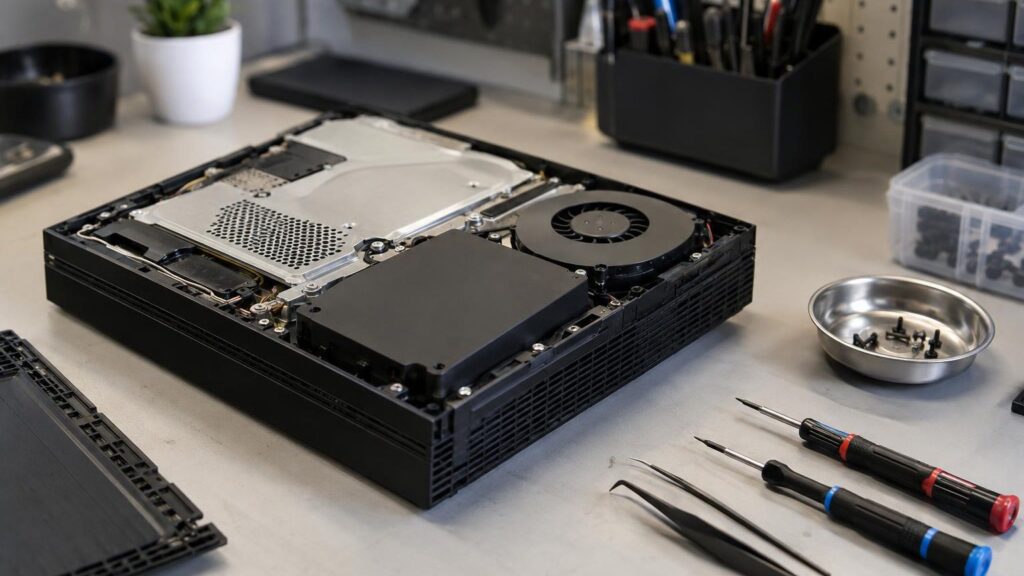
Looking for someone to carry out Xbox repair because your console won’t turn on, shows an error, overheats or doesn’t read discs? We repair Xbox 360, Xbox One, One S, One X and the newer Series S and Series X consoles, as well as their controllers and other accessories. We accept devices at our branches in Vilnius, Kaunas, Klaipėda and Šiauliai.
Below you will find the most common faults and their causes, tips on what you can check yourself, and an explanation of how the repair works. If you are not sure whether repairing is worthwhile, read the section comparing repair with buying a new console.
Xbox repair prices
The price depends on the model and the fault, so we give it after diagnostics.
| Service | Price | Warranty |
|---|---|---|
| Xbox controller (gamepad) repair | after inspection | – |
| Software error fixing | after diagnostics | – |
| Console cleaning and thermal paste replacement | after diagnostics | – |
| Optical drive (disc reader) repair | after diagnostics | – |
| HDD replacement and software reinstallation | after diagnostics | – |
| Xbox One and Xbox 360 unlocking (RGH, iXtreme) | after inspection | – |
| HDMI port repair | after diagnostics | – |
| Video chip BGA reballing (RROD, E74) | after diagnostics | – |
Most common Xbox faults and their causes
Here are the faults people most often come in with or search for online. If your problem is not on the list, please still tell us about it at the branch.
Xbox 360 red ring (RROD)
Red rings around the power button indicate a general hardware failure. Most often the cause is overheating and detached solder balls under the video chip.
What you can check yourself: Check that the power supply is firmly connected and try a different wall socket. You should not do anything more at home – „towel tricks” can damage the board.
We perform BGA reballing of the video chip using an infrared rework station and, when necessary, restore damaged traces. We agree the price after diagnostics.
Xbox 360 error E74 or other E errors (E64–E79)
E74 is most often related to a fault in the video chip or its soldering. Other E errors may indicate a problem with the disc drive, memory or the board.
What you can check yourself: Turn off the console, unplug the power, disconnect all accessories and restart. If the error repeats, write down the code and bring the console in.
After diagnostics, we repair the board or replace the faulty part. The price depends on the cause of the error and the scope of work.
Xbox won’t turn on
The cause may be a faulty power supply, a power circuit on the board, or a short circuit caused by overheating. Sometimes the problem is just the cable or socket.
What you can check yourself: Check the power cable, the plug and another electrical socket. If the power supply has an indicator light, see whether it is on.
We measure the power circuits and replace faulty components. We will give you the price after diagnostics.
Xbox turns off by itself after a few minutes
The most common cause is overheating: blocked ventilation, dried-out thermal paste or a faulty fan. In rarer cases, it is a motherboard fault.
What you can check yourself: Check that the console is standing in an open space and that the ventilation openings are not clogged with dust. Let the console cool down before starting it again.
We clean the console and replace the thermal paste, fan or other parts. We will give you the price after diagnostics.
Xbox has a noisy fan and gets hot
The noise appears when the fan runs at a higher speed because of dust, dried-out paste or poor ventilation. Long-term overheating damages the motherboard.
What you can check yourself: Place the console in a cooler, open location and remove dust from the outside with a soft brush. Do not open the casing.
We clean the inside, replace the thermal paste and, if necessary, the fan. We will give you the price after diagnostics.
Xbox turns on, but there is no picture on the screen
The most common causes are a faulty HDMI port, damaged motherboard traces or a problem with the video chip. Sometimes the cable or the TV is at fault.
What you can check yourself: Try another HDMI cable, another HDMI port and, if you can, another TV. This way you can tell a console fault from a TV problem, and if the screen is at fault, see our TV repair.
We replace the HDMI port, restore the traces or reflow the video chip. We will give you the price after diagnostics.
Xbox shows a garbled picture or coloured stripes
This most often indicates a soldering problem with the video chip or a damaged video signal path. In rarer cases, a bad cable is to blame.
What you can check yourself: Replace the HDMI or AV cable and test with another screen. If the picture is still distorted with a different cable, the fault is in the console.
After diagnostics, we reflow the video chip (BGA) and restore the traces. We will agree on the price before the repair.
Xbox does not read discs or scratches discs
The optical drive usually wears out: a dirty lens, a faulty motor or a misaligned mechanism. A mechanism that scratches discs can also damage your games.
What you can check yourself: Try another disc that is not scratched. If it scratches discs or you hear a loud grinding noise, stop inserting discs and bring the console in.
We clean or replace the optical drive and calibrate it with the console. We will give you the price after diagnostics.
Xbox controller does not work, does not connect or moves by itself (drift)
The most common causes are worn thumbsticks (drift), worn button contacts, a damaged battery compartment or a wireless module.
What you can check yourself: Replace the batteries (AA) and try connecting the controller with a cable. Try pairing it with the console again and clean the contacts on the outside.
We repair Xbox controller buttons, thumbsticks and connectivity problems. We accept controller repairs at all branches, including in Šiauliai.
Xbox USB port does not work
The USB port may be mechanically damaged or burnt out due to overload or a short circuit. Sometimes the device or cable itself is at fault.
What you can check yourself: Try another USB device and another port. If none of them work, bring in the console.
We replace the port and check the power circuits. We will agree on the price after diagnostics.
Xbox games freeze, show an error or run slowly
The problem may be software-related (a corrupted system, an update) or caused by the hard drive due to bad sectors or overheating.
What you can check yourself: Restart the console, disconnect from the internet during the update and check the free space on the drive. Before any reset, back up your game saves.
We reinstall the software or replace the HDD and install the system. We will give you the price after diagnostics.
Is it worth repairing an Xbox or buying a new console?
The answer depends on the model and the fault. The Xbox 360 has not been manufactured for a long time, so it is almost impossible to buy a new one, and its most common faults (red ring, E74, overheated video chip) are well understood and repairable.
With the Xbox One and Series X/S, a simpler procedure is often enough: cleaning and new thermal paste, replacing the HDMI port or replacing the hard drive. It is not worth rushing to buy a new console for several hundred euros before such a repair.
A new console is worth considering when the repair cost approaches the price of a used console of the same model, and you want to move your games and account to a newer generation. We will help you assess such a decision after diagnostics.
- You will learn the price before the repair begins, so you can decide without pressure.
- If a repair is not worthwhile, we will tell you honestly.
- Repairing a controller often costs less than buying a new one.
Before bringing in your console, write down which error is displayed and when the fault occurs – this shortens the diagnostics.
Which Xbox models we repair
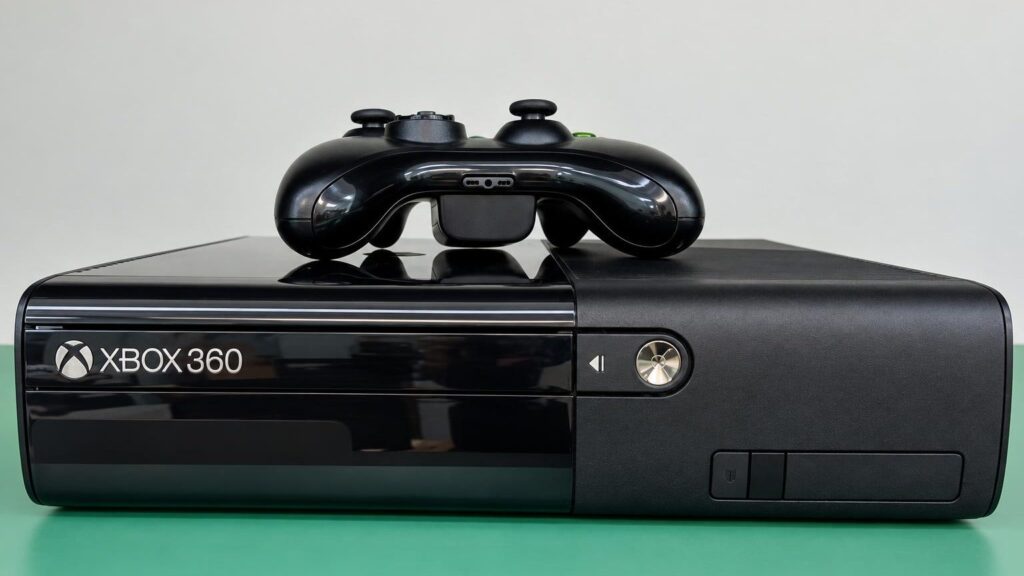
We repair the entire Xbox family. Older Xbox 360 versions (fat, slim, slim-E, Jasper, Elite, Arcade) have a variety of faults, which we resolve not only by replacing parts, but also by restoring damaged traces and reflowing the video chip with infrared soldering equipment (BGA reflow).
Xbox One, One S, One X, Series S and Series X most often suffer from overheating, a faulty HDMI port, optical drive problems and power issues. You can read about how these consoles are built in the article how the Xbox Series X works.
If you also need to fix other gaming equipment, see console repair and jailbreaking, as well as PlayStation repair or Nintendo console repair.
- Xbox 360: fat, slim, slim-E, Jasper, Elite, Arcade
- Xbox One, One S, One X
- Xbox Series S and Series X
- Controllers (gamepads) and other accessories
Xbox jailbreaking: what is important to know
Jailbreaking is a modification of the console’s firmware that allows running software other than that intended by the manufacturer. We perform it on Xbox One and all Xbox 360 versions: fat, slim, slim-E, Jasper, Elite and Arcade. The methods used are iXtreme 3.0 flashing, RGH (jTag) and others, chosen according to the specific model and optical drive type. Jailbreaking Series S and Series X is not among the services we provide.
It is worth knowing that a modified console usually cannot use official online services and may be banned from the Xbox Live network, and the manufacturer’s warranty usually no longer applies after such a modification. Before deciding whether you need it, ask a technician at a branch – they will explain the consequences for your model.
Looking for „Xbox 360 jailbreak” or „Xbox One jailbreak”? Drop by the nearest branch with your console, and we will discuss the price and the specific method after inspecting the console. Use a jailbroken console in compliance with copyright and game licensing requirements.
If your Xbox 360 still has the factory firmware and you have many purchased games, consider whether jailbreaking is really necessary.
How to avoid Xbox overheating and faults
Most Xbox faults start with heat. A console placed in a closed TV cabinet or against a wall with no gap heats up, and over time, due to temperature fluctuations, the solder under the video chip comes loose. This leads to the red ring, error E74 or a complete loss of picture.
Leave free space around the console and do not place it on a soft surface. Once or twice a year, clean the dust from the ventilation openings on the outside, but do not disassemble the console – you may damage the board.
It is worth not leaving the console on overnight when it is not in use, and using the original or at least a suitable power supply. If the fan has started to run louder than before, it is a sign that it is time for cleaning and replacing the thermal paste, rather than waiting until the console shuts down.
- Leave free space around the console
- Clean dust regularly, only on the outside
- Do not place it on soft surfaces
- Do not use the console if its casing is clearly overheated
If the console shuts down after a few minutes and the casing is hot, do not try to start it several times in a row – bring it in for inspection.
How Xbox repair works
- Bring the console to a branch. Bring your Xbox to our Vilnius, Kaunas, Klaipėda or Šiauliai branch Mon–Fri 9:00–18:00; the branches are closed at weekends. Tell us when the fault occurs and show us the error code. Bring the controller, power supply and cables if they are related to the problem.
- Diagnostics. We determine the approximate cause of the fault within 1–2 business days. We check the power supply, video path, optical drive, disc and signs of overheating.
- We agree on the price. Before starting the repair, we tell you what is faulty and how much it will cost. We start the repair only with your consent.
- Repair. We replace parts, clean and replace the thermal paste, reflow microchips or rewrite the software, depending on the fault.
- Testing and warranty. We test the console after the repair and provide a warranty for the work performed. Ask at the branch about its duration and terms.
Frequently asked questions about Xbox repair
How much does Xbox repair cost?
The price depends on the model and the fault: repairing a controller, reflowing a video chip or replacing an HDMI port each cost different amounts. We will tell you the exact amount after diagnostics and before starting the repair.
How long does Xbox repair take?
We determine the approximate cause of the fault within 1–2 business days. The repair time depends on the fault and our workload, so we will give a more precise deadline after diagnostics.
Do you provide a warranty for Xbox repair?
Yes, we provide a warranty for completed repairs. Ask at the branch about its duration and terms before work begins.
Do you repair Xbox Series X and Series S?
Yes, we repair Series X and Series S, as well as Xbox One, One S, One X and all Xbox 360 versions. Jailbreaking is performed on Xbox One and Xbox 360 consoles.
Can an Xbox controller be repaired?
Most often, yes. We repair controllers when buttons or sticks don’t work, or when the controller won’t connect to the console or keeps disconnecting. We will tell you the price once we have inspected the controller.
What does the red ring on an Xbox 360 mean?
This is the so-called RROD error, which indicates a hardware fault, most often related to overheating and a soldering problem with the graphics chip. In such cases, cleaning alone is not enough, and the motherboard needs to be repaired.
Will I lose my games and saves after the repair?
Most often not, because saves are usually stored on the hard drive and in your Xbox account. If the drive is replaced or the firmware is rewritten, data may be lost, so we will tell you about this in advance.
Where can I drop off my Xbox for repair?
We accept consoles at our branches in Vilnius, Kaunas, Klaipėda and Šiauliai Monday to Friday, 9:00–18:00. The branches are closed at weekends.