Bring it to the nearest branch or call
- Vilnius Kareivių g. 11A +370 655 77057
- Kaunas Savanorių pr. 155 +370 639 69600
- Klaipėda Sausio 15-osios g. 13 +370 647 07741
- Šiauliai Gegužių g. 30 +370 682 29052
All branches are open Mon–Fri 9:00–18:00
Looking for someone to carry out PlayStation repair because your console won’t turn on, overheats, shows no picture or no longer reads discs? Here you will find descriptions of the most common PS3, PS4 and PS5 faults and simple checks you can do yourself before bringing the device in. We also repair controllers (DualShock, DualSense) and unlock PS3 consoles.
Below you will find an explanation of services and pricing, a list of faults, advice on whether repair is worthwhile, and the process from drop-off to pick-up. If you are also interested in consoles from other manufacturers, see the general console repair page.
PlayStation repair prices
The price is determined after diagnostics, based on the model and the fault.
| Service | Price | Warranty |
|---|---|---|
| Controller (DualShock, DualSense) repair | after diagnostics | Provided |
| Thermal paste replacement and dust cleaning | after diagnostics | Provided |
| Software update and restore | after diagnostics | Provided |
| HDMI port replacement and repair | after diagnostics | Provided |
| Power supply repair | after diagnostics | Provided |
| Disc drive repair | after diagnostics | Provided |
| PS3 unlocking (Fat, Slim, SuperSlim) | after diagnostics | Provided |
| Motherboard repair, video chip BGA reballing | after diagnostics | Provided |
Most common PlayStation faults and their solutions
Below are the symptoms for which people most often seek PS4, PS5 and PS3 repair. Before bringing in your console, you can try a few safe checks. Do not open the console or clean its interior.
PlayStation won’t turn on
The most common cause is a power cable problem, a faulty power supply or a motherboard fault. Sometimes the console freezes after being shut down improperly.
What you can check yourself: Try a different power cable and a different socket without an extension cord. Unplug the console from the mains and wait a few minutes, then plug it back in.
We check the power circuit and the power supply and, if necessary, repair the power supply or the motherboard.
PS4 or PS5 shuts down after a few minutes
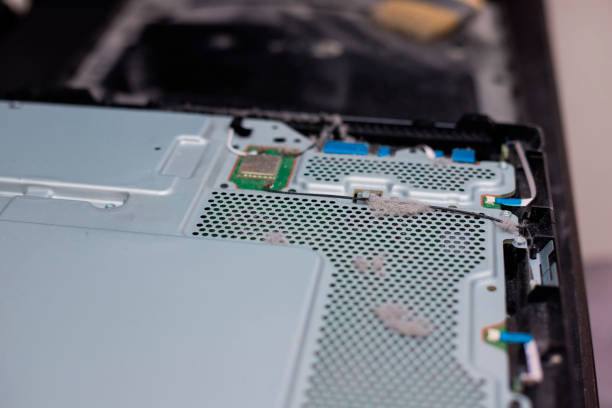
This is a typical sign of overheating: clogged fans, hardened thermal paste, poor ventilation. A less common cause is a power supply fault.
What you can check yourself: Check that the console is placed in an open space and that the ventilation openings are not covered. Try turning it on in a less demanding menu and see whether it shuts down earlier.
We clean out the dust and replace the thermal paste. If that does not help, we check the power supply.
PlayStation gets very hot, is noisy and games freeze
A layer of dust disrupts airflow, so the fan runs at maximum speed. Because of the heat, the system slows down and games start to stutter.
What you can check yourself: Keep the console away from walls, heaters and soft surfaces. Do not open the console or clean its interior yourself.
We clean the interior and replace the thermal paste. If necessary, we check the fan.
The lights are on, but there is no picture on the screen
The HDMI port, cable, video chip or TV input may be faulty. Sometimes the cause is an incorrect video mode after an update.
What you can check yourself: Try a different HDMI cable and a different TV input. If possible, connect to another screen.
If the port is at fault, we replace the HDMI connector. If it is the video chip, we perform BGA reballing using an Infrared station.
Blurry or flickering picture on the TV screen
Most often the HDMI port is damaged, the cable is worn out or an unsuitable resolution is selected. Sometimes the problem is poor soldering near the video chip.
What you can check yourself: Replace the HDMI cable and check the resolution in the TV settings. Connect or disconnect the cable only when the console is switched off.
During diagnostics we determine whether the port or the chip is at fault, and repair it. If the TV is at fault, we will refer you to TV repair.
Yellow light (YLOD) or blue light with no picture
YLOD on older PS3 consoles most often indicates overheating and deteriorated soldering contacts of the video chip. Similar symptoms also occur on other consoles due to motherboard faults.
What you can check yourself: Do not open the console. Just make sure the problem is not in the cable or the TV input: try a different HDMI cable and a different input.
We perform BGA reballing of the video chip using an Infrared station and restore damaged traces. We will tell you the price after diagnostics.
PlayStation does not read discs or reads them with difficulty
Most often the laser reader is worn out or dirty; sometimes the cause is a motor or mechanism fault. Scratched discs can also impair reading.
What you can check yourself: Try several different discs and make sure they are clean and not scratched. Do not put anything into the disc drive slot.
We repair the disc drive or replace it.
Blu-ray drive scratches discs
This indicates a mechanical fault: a worn mount, a motor or a bent holder. It is better to remove such a disc immediately so that it does not get damaged.
What you can check yourself: Do not try to play expensive or valuable discs. If the disc does not eject, do not use force.
We repair the drive mechanism or replace it.
PlayStation USB does not work
The port is physically damaged or burnt out; sometimes the accessory or cable is at fault. This often happens after connecting a faulty USB device.
What you can check yourself: Try a different port and a different device or cable. Do not put anything into the port for cleaning purposes.
We replace or restore the USB port; the price depends on the model.
PS5 controller repair: the controller drifts or does not connect
Stick drift is caused by worn potentiometers, and button problems by dirt or worn contacts. The controller may not charge because of a damaged port or battery.
What you can check yourself: Try a different USB cable and a different charging port. Try pairing the controller with the console again. Do not disassemble the controller or poke into the battery compartment.
We repair controllers (DualShock, DualSense): we replace sticks, buttons and the port. We repair controllers at all branches.
The console does not power on or shows a system error
The error may occur after an interrupted update or corrupted software. Sometimes the cause is a drive or memory fault.
What you can check yourself: Try starting the console in safe mode following the manufacturer’s instructions and select the update option. Do not turn off the console during an update.
We perform software updates and restoration. If the drive or motherboard is at fault, we will tell you separately.
Is it worth repairing a PlayStation or buying a new one?
The answer depends on the fault and the model. Common faults – thermal paste replacement, HDMI port, power supply, controller stick – usually require less work than complex electronics repair, so they are often worth repairing.
More complex cases are motherboard repair or video chip reballing. In such cases, it is worth comparing the repair estimate with the price of a similar console. We assess the fault during diagnostics, and the decision is yours.
- Port, ventilation, power or drive faults are usually worth repairing.
- Motherboard or chip repair should be assessed based on the console model and condition.
- If the console is wet or has been dropped, it is better not to plug it in and to bring it in as it is.
If you are undecided, bring the console in for diagnostics – you will learn the cause of the fault and a possible solution, and you do not have to order the repair right away.
PS4 and PS5 repair: what causes faults most often
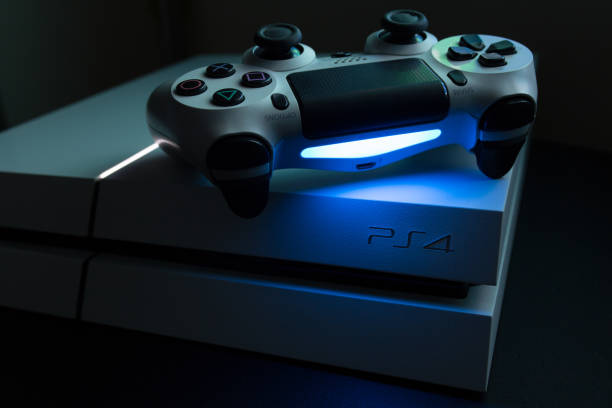
The most common cause of PS4 and PS5 problems is dust and overheating. The fans clog up, the thermal paste hardens, the processor overheats, and the console starts to make noise, freeze or shut down. In this case, cleaning and replacing the thermal paste helps.
The second group is mechanical faults: the HDMI port, USB ports and disc drive. They occur due to frequent cable insertion or wear. The third group is electronics: the power supply unit, motherboard and video chip. These require measurements and soldering equipment, not just a screwdriver.
- Place the console in an open area, not in a closed shelf, and not on a soft surface.
- If the console overheats or is noisy, request internal cleaning and thermal paste replacement – do not open the console yourself.
- Before connecting or disconnecting the HDMI cable, turn off the console and keep the cable free of tension.
PlayStation jailbreaking and software
We jailbreak PS3 models: Fat (CECHA–CECHQ), Slim (CECH-2xxx and CECH-3xxx) and SuperSlim (CECH-4xxx). Depending on the model and software version, different methods are used: firmware downgrade with CFW, ODE chips (Cobra, E3, etc.), NOR or NAND chip jailbreaking, or a PS3 bootdisk.
We also carry out software updates and restoration. Before starting work, we discuss what can be done with your specific model.
Bring the console model number (it is shown on the sticker on the casing, e.g., CECH-2504) – this speeds up the selection of the jailbreaking method.
What to bring to the PlayStation service
Usually the console itself and, if you have it, its power cable are enough. If the problem is related to the picture, an HDMI cable would also be helpful, so that we can distinguish a console fault from a cable or TV fault. For controller problems, bring the controller itself and, if available, a USB cable.
It is best to remove the disc from the drive if it ejects. If not, do not use force – tell the technician about it. If the console still turns on, we recommend copying saved games to the cloud or an external drive, as a system restore may be needed during the repair. For account data, please ask at the branch before handing over the console.
If you also play on other platforms, see our Xbox console repair and PSP repair and jailbreaking.
How PlayStation repair works
- Bring the console to a branch. Visit our Vilnius, Kaunas, Klaipėda or Šiauliai branch on weekdays Mon–Fri 9:00–18:00. Tell us how the fault appears.
- Diagnostics. We assess the fault and recommend the best solution.
- Agreeing on the price. We tell you the price before starting work. We begin the repair only with your consent.
- Repair. We carry out the work: replacing parts, soldering, cleaning, software or jailbreaking as needed.
- Warranty. We provide a warranty for the repair work carried out.
- Collect your console. When the work is finished, you collect the console at the same branch and can play again.
Frequently asked questions about PlayStation repair
How much does PlayStation repair cost?
The price depends on the model and the fault: replacing a controller stick and repairing a motherboard differ greatly. We assess the fault during diagnostics and agree on the price before starting work. Pricing is clear, with no hidden fees.
Do you repair the PS5 and PS5 Slim?
Yes, we repair PS5 consoles and their controllers. For a specific model, such as the Slim or Pro, please ask at the branch – we determine how much work can be done during diagnostics.
Where can I get a PS4 repaired in Kaunas, Klaipėda or Šiauliai?
We accept PlayStation repairs at all four branches: in Vilnius, Kaunas, Klaipėda and Šiauliai. The branches are open Mon–Fri 9:00–18:00 and closed at weekends. You can find the contact details on the contacts page.
Do you repair PS5 controllers?
Yes, we repair DualShock and DualSense controllers: drifting sticks, unresponsive buttons, and controllers that do not charge or connect.
Do you provide a warranty for PlayStation repairs?
Yes, we provide a warranty for all repair work carried out. For specific terms, please ask at the branch.
Is PlayStation repair worth it, or is it better to buy a new one?
The answer depends on the fault and the model. For more expensive motherboard or chip repairs, it is worth comparing the estimate with the price of a similar console.
Will my games and account remain after the repair?
We cannot guarantee data preservation. If a system restore is needed, the internal memory may be wiped, so if possible, copy your saved data in advance.
What is the difference between PS4 and PS5 jailbreaking?
We carry out PS3 jailbreaking as well as software updates and restoration. For PS4 or PS5 options, please ask at the branch based on your specific model and software version.