Bring it to the nearest branch or call
- Vilnius Kareivių g. 11A +370 655 77057
- Kaunas Savanorių pr. 155 +370 639 69600
- Klaipėda Sausio 15-osios g. 13 +370 647 07741
- Šiauliai Gegužių g. 30 +370 682 29052
All branches are open Mon–Fri 9:00–18:00
A Jaguar navigation update is needed when the instrument panel shows a road that no longer exists, and a new roundabout or bypass is missing from the map. On this page you will find a description of the three system types (codes j1, j2 and j3), the most common causes of faults, and a simple procedure for getting new maps.
This page will help you determine which navigation is installed in your Jaguar XF, XK, XJ, S-Type or X-Type, and whether it is enough to update the maps or the system needs repair. If you are unsure about the model, call the car navigation phone line – tell us the model and year, and we will clarify the rest together. For information about the general service, read the navigation map update page.
Jaguar navigation update and repair prices
The price depends on the type of navigation system and the scope of work, so we confirm it by phone.
| Service | Price | Warranty |
|---|---|---|
| Jaguar XJ, S-Type, X-Type (j2, T1000 Denso XCL) – map DVD update | on request | – |
| Jaguar XF, XK (j1, Denso 2.64) – map DVD update | on request | – |
| Jaguar XJ, XF (j3, HDD GEN2.1 USB) – map update | on request | – |
| Navigation diagnostics and error troubleshooting | on request | – |
| DVD reader cleaning or repair | on request | – |
| Software recovery | on request | – |
Most common Jaguar navigation problems and their solutions
These are the faults Jaguar owners contact us about most often. If your problem is not listed here, please still describe it by phone.
Jaguar navigation shows old maps
The system still has the factory map version or one that is several years old. It simply does not know about new roundabouts, bypasses and speed limits.
What you can check yourself: Check that the correct disc is inserted and which map version is shown in the system settings menu. Write it down.
We update maps according to your system code (j1, j2 or j3). The price depends on the system type.
Navigation does not read the map disc
The disc may be scratched or dirty, and a DVD reader that has been used for a long time may lose sensitivity. It is also possible that the disc is not suitable for your system.
What you can check yourself: Carefully wipe the disc with a soft cloth from the center toward the edges and try inserting it again. If you have another original disc, try it.
We diagnose whether the disc or the reader is at fault and offer cleaning or repair.
Jaguar navigation screen is black or shows no map
It may be a system software error, a poor contact or a screen fault. Sometimes the control unit needs attention, not the screen itself.
What you can check yourself: Switch the ignition off and on again, and check that the screen brightness is not set to minimum.
We carry out diagnostics and determine whether software recovery is enough or deeper repair is needed.
Navigation does not show my position or is „searching for GPS signal”
The cause may be the GPS antenna, its cable or the system’s own receiver. Sometimes the signal is blocked by applied window tint film or additional equipment.
What you can check yourself: Drive to an open area with no buildings and wait a few minutes. Check that there are no newly stuck-on items near the windshield.
After the diagnostics, we will tell you where the problem is. The final price depends on whether the fault is in the antenna or in the system.
HDD navigation (j3) loads slowly or freezes
Systems with a hard disk drive wear out over time, and the map data may become corrupted. Slowness is sometimes also caused by old, outdated data.
What you can check yourself: Do not try to delete files or change system settings on your own – a wrong action may lock the system.
We inspect the system and offer a map update or a software restoration.
New map update will not install (USB error)
Most often the cause is an incompatible package version, USB drive format or system code. Different XF and XJ model years may require different files.
What you can check yourself: Check that you know the exact year your car was made and whether it is a USA or EU model. Please tell us this information.
We identify the system by the car and the appearance of the navigation, and then perform the correct update.
I am not sure which navigation system my Jaguar has
The same model has different systems in different years, and imported cars may also have a different map region.
What you can check yourself: Have the year of manufacture, the model and a photo of the screen ready.
We recognise the system by the model, year and appearance, and then offer a suitable map package.
Navigation displays addresses or routes incorrectly
Old maps may not include new streets, and a system error may cause data to be read incorrectly. Often the solution is a newer package.
What you can check yourself: Check that the correct country is set and that no avoidance restrictions (toll roads, ferries) have been selected.
We update the maps or restore the software if the error keeps recurring.
Jaguar navigation update: which system does your car have?
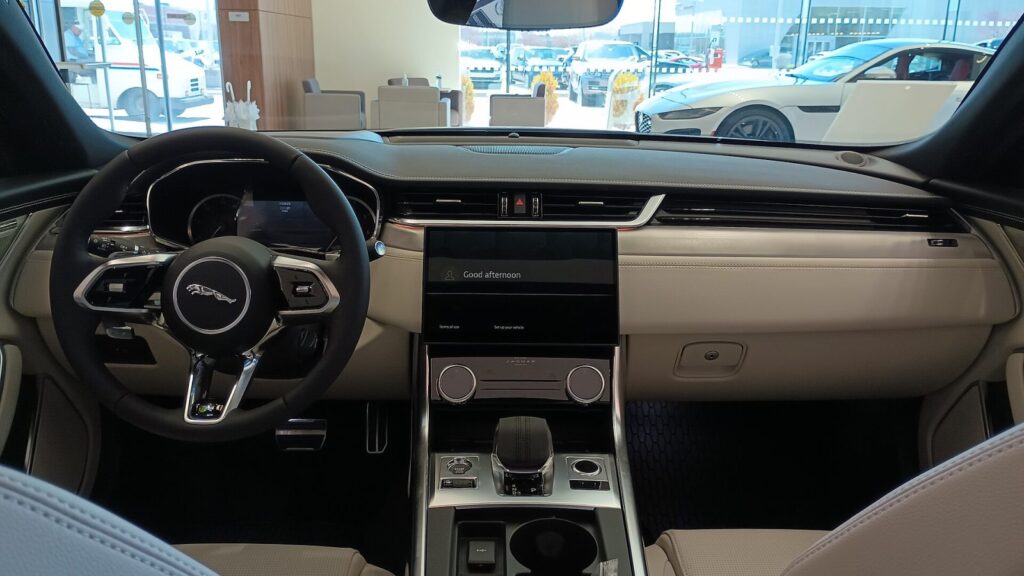
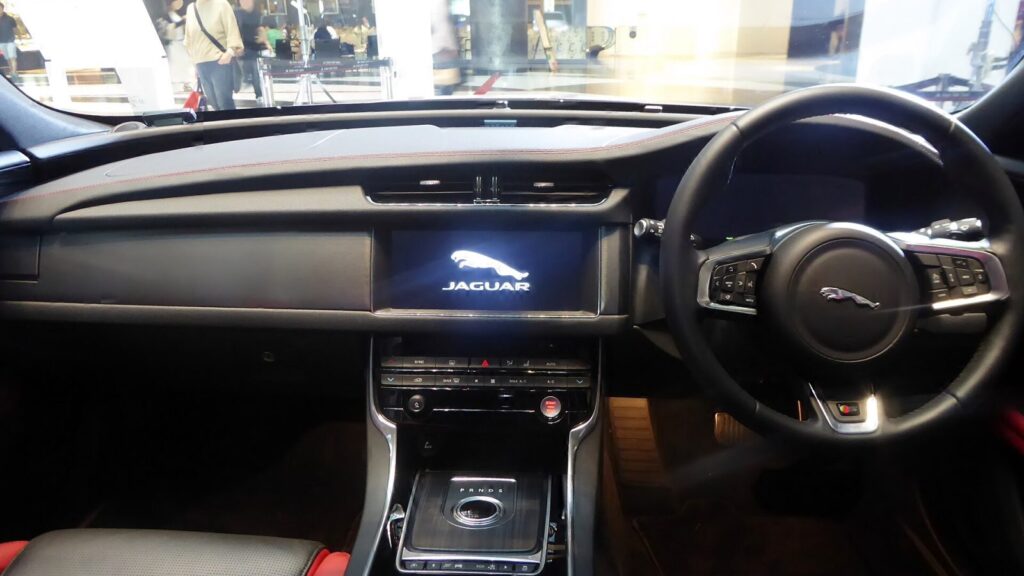
Jaguar has used several different navigation generations, so a map package suitable for a 2008 XF will not fit a 2013 XF. The system is identified by the car model, year of manufacture and the appearance of the navigation, not by the general name “Jaguar navigation”.
The list contains three main options:
- j1 – Denso 2.64 with DVD: Jaguar XF 2004–2011 and XK 2007–2013. The maps are supplied on five DVDs.
- j2 – T1000 Denso XCL with DVD: Jaguar X-Type from 2002, S-Type from 2003 and XJ 2004–2009. The maps fit on two discs.
- j3 – HDD GEN2.1 USB: Jaguar XJ from 2009 and XF from 2012. The system suits both USA and EU cars, and the maps are updated as a service, without DVDs.
Before you come, take a photo of the navigation screen while it is switched on and write down the year of first registration – this makes it easier to identify the system.
What the map discs cover and how many countries are in the package
The map package depends on the system. The j1 system uses five DVDs: the first covers Germany, Austria, Italy, the Scandinavian countries and Benelux; the second covers Great Britain, Ireland, Spain, Portugal and France; and the fourth covers Eastern and Central Europe with a detailed map of Lithuania. The fifth disc is for the European part of Russia.
The j2 system needs only two discs: the first contains Western Europe, and the second contains almost all of Europe, including the Baltic states, Poland, the Balkans and Ukraine, with a detailed map of Lithuania. In the j3 system, the maps are updated as a service, and the coverage includes about thirty countries – from Portugal to Estonia and Latvia.
Important to know: the most detailed map of Lithuania is included in all packages, so searching for city streets and new road sections works not only on the main highways.
Is it worth updating the navigation of an older Jaguar?
If your Jaguar is 10–20 years old, an update is often worth considering if you want to see the route on the original screen rather than on a separate mount. The original system is integrated with the audio, the instrument cluster and the control knob, which makes driving more comfortable.
On the other hand, if the screen already has pixel spots, the DVD reader no longer reads discs or the system switches off periodically, it is worth first finding out its technical condition. While the reader is not working, a DVD map update is not possible, and diagnostics help determine what will be needed to fix the fault.
In practice, the decision is as follows: if the system works stably, a map update is enough. If there are faults, first find out the repair price and only then decide.
If you use navigation only for short trips in the city, you can decide whether to update every few years; if you often travel around Europe, a newer map saves time and nerves.
What to prepare before contacting us
To select the right maps accurately, prepare a few details. This shortens the conversation and helps avoid choosing the wrong package.
Usually the following information is enough:
- the car model and year of manufacture (you can see them in the vehicle registration certificate);
- whether the car is European or imported from the USA;
- a photo of how the navigation screen and control buttons look;
- a description of the problem you are noticing – an outdated map, the disc is not being read, the position is not displayed;
- old map discs, if you have them – sometimes they help identify the system version.
Branches in Vilnius, Kaunas, Klaipėda and Šiauliai are open on weekdays Monday–Friday from 9:00 to 18:00; before you come, call the car navigation phone line and confirm what to bring.
How a Jaguar navigation update works
- Get in touch and describe your car. Call the car navigation phone line and tell us the model, year of manufacture and the problem. If you can, prepare a screenshot photo.
- We identify the system. Based on the model, year and appearance of the navigation, we determine whether it is a j1, j2 or j3 system.
- We agree on the price. We tell you the price and the work process. We agree on the exact amount before starting work.
- We update or repair. We install the latest maps or fix the fault if the system is not working properly.
- We check the result. Before handing the car back, we check that the system works and that Lithuania and the other required countries are visible on the map.
Frequently asked questions about Jaguar navigation updates
How much does a Jaguar navigation update cost?
The price depends on the system (j1, j2 or j3) and the scope of work. We give you the exact amount by phone once we have identified your system.
How can I find out which navigation system is installed in my Jaguar?
The system is determined by the car model, year of manufacture and the appearance of the navigation. Tell us the model and year by phone or prepare a photo of the screen.
Are the maps for the Jaguar XF always the same?
No. The 2004–2011 XF uses a DVD system (j1), while the XF from 2012 onwards uses HDD GEN2.1 USB (j3). They require different sets.
Will Lithuania be shown in detail after updating the maps?
Yes, all three sets include a detailed map of Lithuania, together with the other Baltic countries, Poland and the rest of Europe.
Can the navigation of a Jaguar X-Type or S-Type be updated?
Yes. The X-Type from 2002 and the S-Type from 2003 belong to the j2 group with two map DVDs.
The navigation does not read the disc. Is it a map error?
More often it is a scratched disc or a dirty or worn DVD reader. Diagnostics will show whether a new disc is enough or whether the reader needs to be repaired.
When do you work and where can I come?
Branches in Vilnius, Kaunas, Klaipėda and Šiauliai are open Monday to Friday from 9:00 to 18:00; we are closed on weekends. Branch addresses are provided at the bottom of the page.