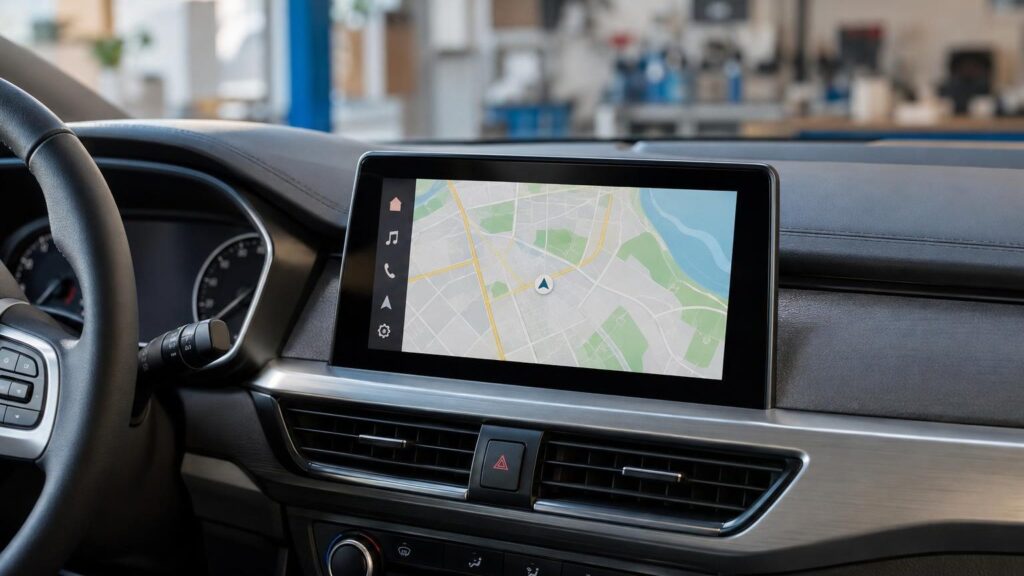
Bring it to the nearest branch or call
- Vilnius Kareivių g. 11A +370 655 77057
- Kaunas Savanorių pr. 155 +370 639 69600
- Klaipėda Sausio 15-osios g. 13 +370 647 07741
- Šiauliai Gegužių g. 30 +370 682 29052
All branches are open Mon–Fri 9:00–18:00
Nissan navigation has changed several times over the decade: in the oldest cars the maps are on DVDs, in newer ones on an SD card. For this reason, both the update and troubleshooting depend on which system is installed in your car.
This page explains how to identify your Nissan system, which models and years it fits, and what to do if the navigation shows an old map or does not work at all. For details about a specific service at a branch or the price, please call us – we have a separate number for car navigation enquiries.
Most common Nissan navigation problems
Below are the symptoms drivers most often contact us about, along with possible causes. This is general information; an accurate diagnosis is made by a specialist.
The navigation shows an old map
The maps have not been updated, or new road junctions and bypasses have not yet been added.
What you can check yourself: Look at the map version in the system menu and write it down, along with the car’s year of manufacture.
Suitable maps are selected according to the system (SD card or DVD) and the update is carried out.
The system does not read the SD card
A damaged or unsuitable card, dirty contacts, or a faulty reader.
What you can check yourself: Turn off the system, remove the card, inspect the contacts and reinsert it. Do not try to format the card if you are not sure.
The card and the system are checked; the solution depends on whether the problem is in the card or in the device.
It does not show my position, there is no GPS signal
Most often the antenna, its cable or the system itself; sometimes the signal is blocked by additionally installed devices.
What you can check yourself: Park the car in an open area and wait a few minutes.
The antenna and the system are diagnosed; the options are assessed by a specialist.
It freezes or does not start after a map update
An unsuitable map version for the system, an interrupted update, or a software error.
What you can check yourself: Do not repeat the update several times in a row and do not turn off the engine in the middle of the process.
The system version and map compatibility are checked; the solution is given after the inspection.
How to identify your Nissan navigation system
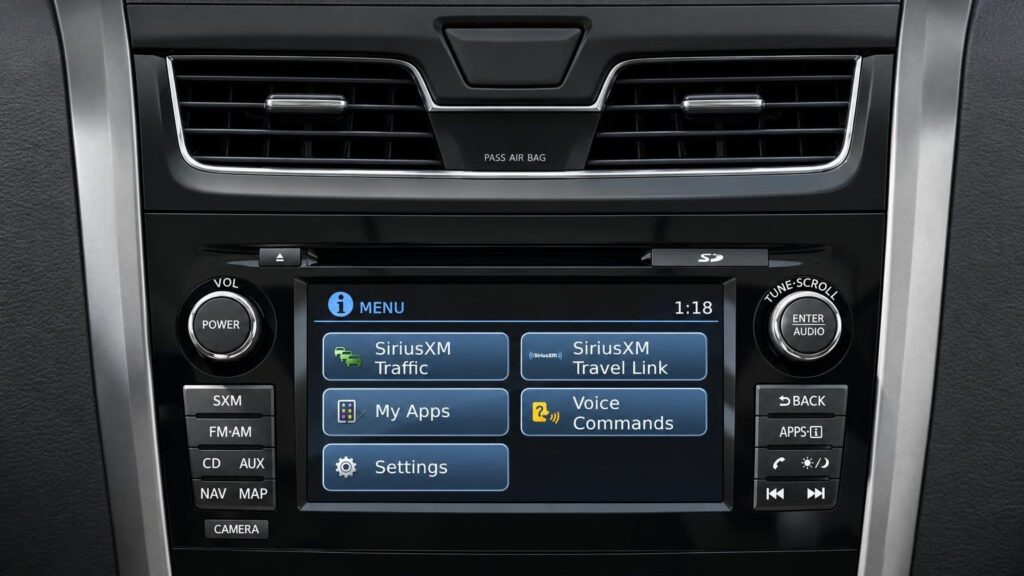
The system is usually determined by the car’s year of manufacture and where the maps are stored. Older models use DVDs (Connect Premium X6, X7, X9), newer ones use an SD card (Connect 1, 2 and 3).
In some years both types of systems occur, so the year alone is not enough. The X6 and X7 look the same, and they are distinguished by the start screen and the menu logic.
- Connect Premium X6 „Navigation Birdview” – DVD, cars from about 2003–2007.
- Connect Premium X7 – DVD, cars from about 2005–2009.
- Connect Premium X9 – four DVDs updating the internal HDD, from 2009
- Connect 1 (LCN1) – SD card, approx. 2009–2013
- Connect 2 (LCN2 v1) – SD card, Nissan after 2012; identified by appearance.
- Connect 3 (LCN2 v2) – SD card, Nissan from 2014
If you are not sure which system is installed, take a photo of the home screen and menu – this is the fastest way to identify it.
Which models each system is suitable for
Below are the models and years the maps are intended for. This is a general list, and a specialist will verify exact compatibility based on your system.
X6: Micra K12, Tino V10, 350Z 2003–2005, Almera 2003–2006, Primera 2003–2007, X-Trail 2003–2006, Patrol 2003–2005, Murano 2005–2006. The maps cover Western Europe and Scandinavia, excluding the Baltic states.
X7: 350Z 2005–2009, 370Z 2007, Qashqai up to 2009, Murano, Navara, Pathfinder, Patrol and X-Trail 2005–2009, Primera 2005–2007, Tiida 2005–2007. Lithuania is already covered in detail here.
X9: Pathfinder, Navara, Murano, X-Trail, 370Z and GT-R from 2009.
- Connect 1: Micra (2009–2010), Note, Cube, Qashqai and Qashqai +2 (2009–2013), Juke (2011–2013). Not suitable for Nissan cars from the USA.
- Connect 2: Nissan after 2012 – identify the system by its appearance.
- Connect 3: Pulsar C13 and Note E12E from 2014-07, Juke F15E from 2014-05, Qashqai J11E from 2014-12, X-Trail T32 from 2014-04, Micra and X-Trail from 2015.
The Qashqai has as many as three different systems: up to 2009 (X7), 2009–2013 (Connect 1) and J11E from the end of 2014 (Connect 3). That is why a „Qashqai navigation update” always starts with the model year.
Which countries the maps cover
In the maps for X7, X9 and all Connect systems, Lithuania is shown in detail, together with neighbouring countries, all of Western and Central Europe, Scandinavia, the Balkans and Turkey. The X6 system does not include the Baltic states or Poland.
Navigation works using GPS satellite signal, so it does not need the internet – the maps are already stored on the disc, HDD or SD card. Read more in the article How a GPS navigation system works.
How the update works
For systems with an SD card, a card with the latest maps is used. For DVD systems, the latest map disc is used, and for the X9 – a set of four DVDs that updates the maps, software and POI points.
The X9 update takes about 2.5 hours. Throughout this time the car must be running and parked in place. You can find general information about map updates here.
Please arrive having planned your time in advance, especially if you have the X9 system.
When the navigation is not only outdated but also not working
If the system does not show your position, does not read the card or disc, freezes or does not start, the cause may be either software or hardware related. It most often becomes apparent during the first inspection.
For repair options for your specific model and branch, we recommend calling the car navigation number – this way you will not have to travel in vain. We have branches in Vilnius, Kaunas, Klaipėda and Šiauliai, and you can find the contacts on the contacts page.
Navigation systems of other manufacturers
Nissan belongs to the Renault–Nissan Alliance, and premium models are sold as Infiniti – you can find their systems on the INFINITI navigation page. It is also worth visiting the pages of other brands, for example RENAULT navigation or MITSUBISHI navigation.
For portable TomTom, Garmin or iGo navigation devices, there is a separate page.
How to request Nissan navigation service
- Find your car details. Write down the model and year of manufacture, and take a photo of the navigation home screen.
- Call the car navigation phone number. Describe whether you need an update or the system is not working, and check which branch can carry out the work.
- Come to the branch. The branches in Vilnius, Kaunas, Klaipėda and Šiauliai are open on weekdays from 9:00 to 18:00 and closed at weekends.
- Update or diagnostics. The maps are selected according to the system and the update is carried out, or the fault is inspected. The X9 system needs about 2.5 hours.
Frequently asked questions about Nissan navigation
How do I update the Nissan Qashqai navigation?
First you need to know the car’s year and system: up to 2009 – Connect Premium X7 (DVD), 2009–2013 – Connect 1 (SD card), J11E from December 2014 – Connect 3 (SD card). The suitable maps are selected accordingly.
Why is the navigation in my Nissan not working?
The causes may be a reading problem (an unsuitable or damaged SD card or DVD), a software error, or an antenna or GPS signal fault. An exact answer can only be given after inspecting the system.
Does Nissan navigation need the internet?
No. The maps are stored on the disc, HDD or SD card, and the position is determined by GPS signal. The internet is only needed for additional services, if the system supports them.
Is Connect 1 suitable for Nissan cars from the USA?
No, Connect 1 maps are not suitable for Nissan cars imported from the USA.
How long does the X9 system update take?
About 2.5 hours. The car must remain running and must not be driven the entire time.
When are you open?
Monday to Friday 9:00–18:00; we are closed at weekends.