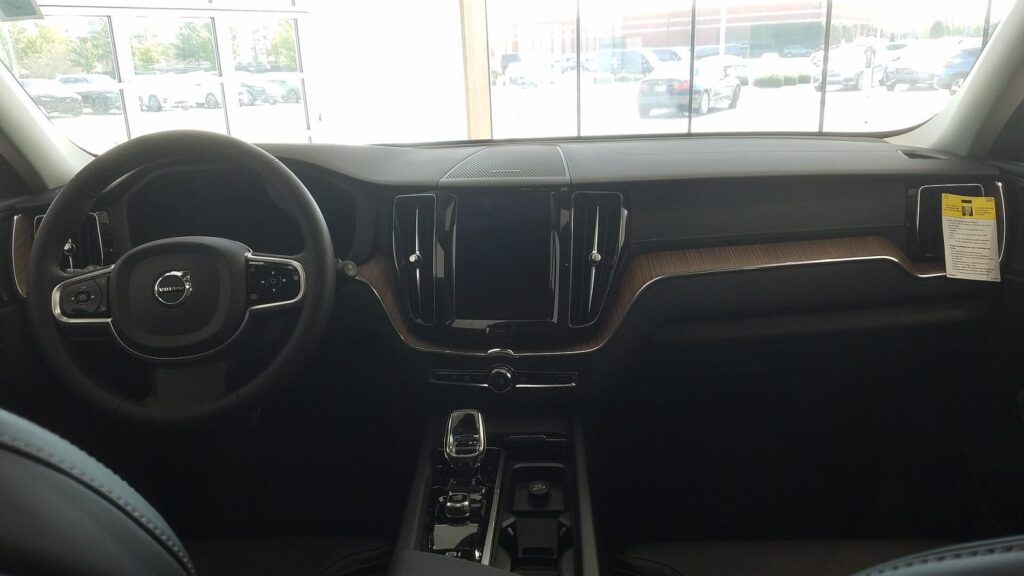
Bring it to the nearest branch or call
- Vilnius Kareivių g. 11A +370 655 77057
- Kaunas Savanorių pr. 155 +370 639 69600
- Klaipėda Sausio 15-osios g. 13 +370 647 07741
- Šiauliai Gegužių g. 30 +370 682 29052
All branches are open Mon–Fri 9:00–18:00
Looking for how to carry out a Volvo navigation update, but don’t know which system is installed in your car? Volvo has used several different navigation platforms, and they require different discs or SD cards. That is why we have gathered all six versions here, with a list of suitable models.
Below you will find the most common problems (from „disc not recognised” to „new roads not shown”), tips on how to identify your system, and a simple procedure for getting the maps. If you already know the model and year, it is enough to call the car navigation phone line.
Most common Volvo navigation problems
Below are the symptoms owners most often mention when seeking help, and what can be done about them.
Volvo navigation does not show new roads
Most often it is simply outdated maps. If the map version is more than a few years old, it does not include new roundabouts and bypasses.
What you can check yourself: Look up the map version in the menu and make a note of it. Determine whether you have a DVD, HDD or SD system.
We select the latest map set suited to your system based on the model and year.
Volvo navigation does not recognise the disc
Possible causes include a scratched or dirty disc, an incompatible system version, or a worn-out reader. In older cars, the laser head may weaken.
What you can check yourself: Check that the disc is clean and free of scratches, and that it is inserted the right way up. Make sure the disc is intended specifically for your system.
If the disc is correct but the system still does not read it, contact a branch – we will find out whether the problem lies with the disc or the reader.
Volvo navigation shows „no map” or asks for a disc
The map data in the system may be corrupted, or the update may not have been completed. Sometimes the disc inserted is not from that system.
What you can check yourself: Check that you are using the disc for your exact system (v1–v6). Do not remove the disc until the system asks you to.
We select the right map set based on the model and year.
Volvo XC60 navigation update was interrupted
Most often the cause is a battery that is too low or the engine being switched off during a long update. On HDD systems, the procedure takes about 180 min.
What you can check yourself: Make sure the battery is in good condition. Insert the first disc again and let the procedure start over.
If the system still does not work after repeating, contact a branch and describe at which stage the procedure stopped.
Volvo XC90 navigation disc does not fit
The XC90 has been produced in several generations: P2001 was used in 2003–2006, MMM+ with HDD in 2007–2014, and Sensus Connect from 2016. A disc from a different generation simply will not start.
What you can check yourself: Determine the system by the car’s year and compare it with the list above.
We select the right set based on your car’s year.
Volvo V70 / S80 navigation shows the wrong location
The cause may be a weak GPS signal, an old map version, or an antenna problem. After the battery is disconnected, the system sometimes searches for satellites again.
What you can check yourself: Drive to an open area, not under a roof or between tall buildings, and wait a few minutes. Check whether the map version has changed.
If the problem persists in an open area, contact a branch – together we will assess whether the maps need to be updated.
Sensus SD card not found
In the V5 system, the maps are stored on an SD card. If the card is damaged, inserted incorrectly or locked, the system may display a message saying that there is no navigation.
What you can check yourself: Switch off the system, remove the card and insert it again. Check whether the contacts are damaged and whether the lock switch has slid into the locked position.
If the card is damaged, you will need a new, suitable card with maps of Lithuania and Europe – please contact us about it at the car navigation phone number.
The Volvo navigation screen freezes or restarts
Causes: errors in the map data, software freezes, low voltage. Sometimes an old hard drive is also to blame.
What you can check yourself: Switch off the ignition, wait a minute and start again. Note whether the freezing recurs only when you use navigation.
If the freezes keep recurring, contact a branch – we will find out whether a map update is suitable or whether another solution is needed.
I don’t know which Volvo navigation I have
Volvos of the same model may have different systems, because the systems changed over the model’s lifetime. In addition, some systems overlap in model years.
What you can check yourself: See whether there is a DVD slot or an SD slot, and what the menu looks like. Take a photo of the screen.
Based on the model, year and photo, we identify the system and select the right set. Call the car navigation phone number.
Which Volvo navigation version suits your car?
The main criterion is not the model alone, but also the year of manufacture and the system type. For example, an XC60 from 2009–2010 has a completely different system from an XC60 from 2014 and later. Therefore, first find out which platform is installed.
Below is a general compatibility list based on the sets we offer. In some years the system periods overlap (for example, 2011–2014), in which case what decides is whether the maps in your car are stored on a hard drive (HDD) or on an SD card.
- RTI MMM2 with DVD (v1): S80 2007–2011, V70 2008–2011, XC60 2009–2010, XC70 2008–2011.
- RTI MMM+ with HDD (v2): C30 2008–2012, C70 2008–2013, S40 2008–2011, V50 2008–2011, XC90 2007–2014.
- RTI MMM P2001 with DVD (v3): C30 2007, C70 2006–2007, S40 and V50 2004–2007, S60 2002–2009, S80 2002–2006, V70 and XC70 2002–2007, XC90 2003–2006.
- IAM 2.1 with HDD (v4): S60, V60 and XC60 2011–2013, S80, V70 and XC70 2012–2014, V40 2013–2014.
- Sensus Connected Touch with SD (v5): S60, V60 and XC60 2011–2014, S80, V70 and XC70 2012–2014, V40 and V40 Cross Country 2013–2014.
- Sensus Connect MCA–SPA with HDD (v6): S60 and V60 from 2014, XC60 from 2014, S90 and V90 from 2017, XC90 from 2016.
Not sure about the version? Before calling, take a photo of the navigation screen while it is switched on and have your registration number or VIN code ready – with these we will identify the right set faster.
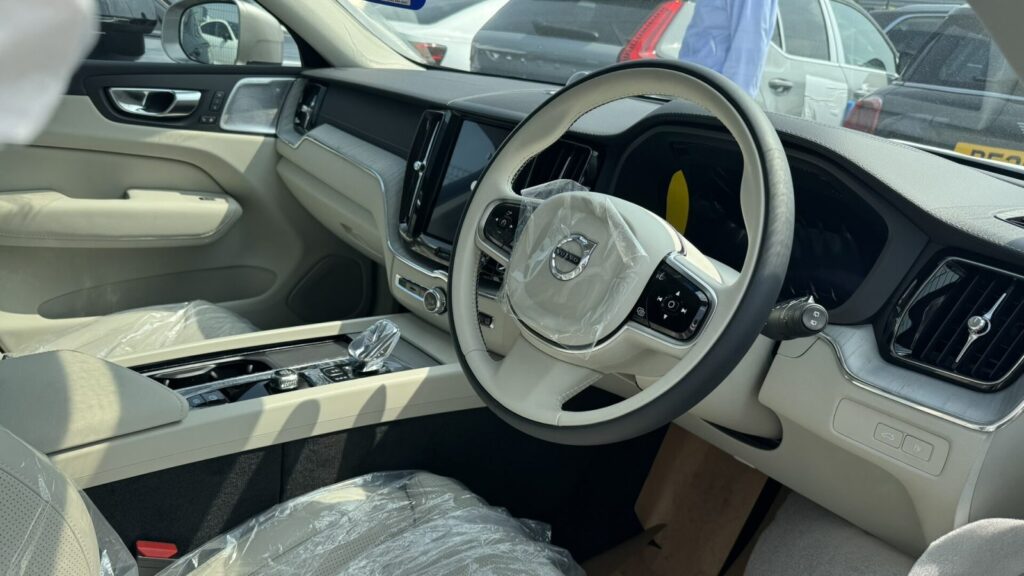
How does a Volvo navigation update work with an HDD system?
Most questions arise about systems with a hard drive, for example RTI MMM+ (v2). Here the customer carries out the update on their own: inserting two DVDs in sequence.
The whole procedure takes about 180 minutes. It can be done while driving or while stationary, but when stationary a good battery is essential, because the car’s electronics run the whole time. The process is as follows:
- The first disc is inserted – the update takes about 120 min.
- The second disc is inserted – the update takes about 60 min.
- The first disc is inserted again and left in the system.
If the car is stationary, make sure the battery is in good condition: if the voltage drops, the procedure may be interrupted.
Is it worth updating an old Volvo navigation?
Within a few years, new roundabouts and bypass sections appear in Lithuania, and traffic arrangements change. Old maps start to direct you to turns that no longer exist or along a longer route. If you drive a lot, especially around Europe, the update pays for itself faster than you might expect.
The situation is completely different when the system is physically faulty: it no longer reads the disc, freezes or does not show your location. In that case, you first need to find out the cause of the fault, rather than replace the maps.
If you only need a route and the original system is very old, you may also consider a separate navigation device.
What to know before ordering maps
If you are interested in more than just Volvo, you will find general information about systems of other brands on the page navigation map updates. If you want to understand how satellite search works and why the signal is sometimes lost, read the article How a GPS navigation system works.
So that the set fits the first time, we only need a few details:
- model and year of manufacture;
- whether you can see a DVD slot or an SD card slot in the car;
- which map version is currently shown in the menu;
- whether you only need Lithuania and Western Europe, or Eastern countries as well (Sensus system maps also include Ukraine, Belarus and Russia).
The list of countries depends on the system. For example, the v3 (P2001) disc list does not include Lithuania, so for this type it is worth checking before ordering whether the set contains the countries you need.
How to get Volvo navigation maps
- Visit a branch and tell us your car. You can come during working hours (Mon–Fri 9:00–18:00); there is no need to register or call in advance. Tell us the model, the year and what the system looks like.
- We determine the system type. Based on the details, we find out whether it is an RTI, IAM or Sensus system and which of the six sets (v1–v6) is suitable.
- We discuss the price and how you will receive it. We tell you the price and agree on how you will get the set. Branches are open Mon–Fri 9:00–18:00 and closed on weekends.
- You update the system. On HDD systems (MMM+) the procedure takes about 180 min.: the first disc about 120 min., the second about 60 min., then the first one again. If something goes wrong, contact a branch or the car navigation phone line.
Frequently asked questions about Volvo navigation
How much does a Volvo navigation update cost?
The price depends on the system type – DVD, HDD or SD – and the set. We give the exact price once we know the model and year, and you can visit a branch during working hours without prior registration.
How long does the update take?
On the RTI MMM+ HDD system the whole procedure takes about 180 min. The first disc takes about 120 min., the second about 60 min., after which the first one is inserted again.
Can the update be done while the car is stationary?
Yes, but then you need a good battery, because the system is running the whole time. The procedure can also be carried out while driving.
Which disc is suitable for the Volvo XC60?
For the XC60 from 2009–2010, v1 (MMM2 with DVD) is suitable; for 2011–2013, v4 or v5; for 2014 and newer, v6. The exact type is determined by the system in the car.
Which navigation disc is suitable for the Volvo V70 and S80?
For 2002–2007 models – P2001 (v3); for 2007/2008–2011 – MMM2 (v1); for 2012–2014 – IAM 2.1 (v4) or Sensus (v5).
Do the discs include a map of Lithuania?
Most sets include detailed Lithuania and most of Europe. Please check the specific list of countries for each system before ordering.
How do I choose the right set?
The most important thing is that the set matches your system. If you are unsure, call the car navigation phone line. You can find more about navigation systems on this page.
Where can I go for Volvo navigation?
At our branches in Vilnius, Kaunas, Klaipėda and Šiauliai. We work Mon–Fri 9:00–18:00 and are closed on weekends.