Bring it to the nearest branch or call
- Vilnius Kareivių g. 11A +370 655 77057
- Kaunas Savanorių pr. 155 +370 639 69600
- Klaipėda Sausio 15-osios g. 13 +370 647 07741
- Šiauliai Gegužių g. 30 +370 682 29052
All branches are open Mon–Fri 9:00–18:00
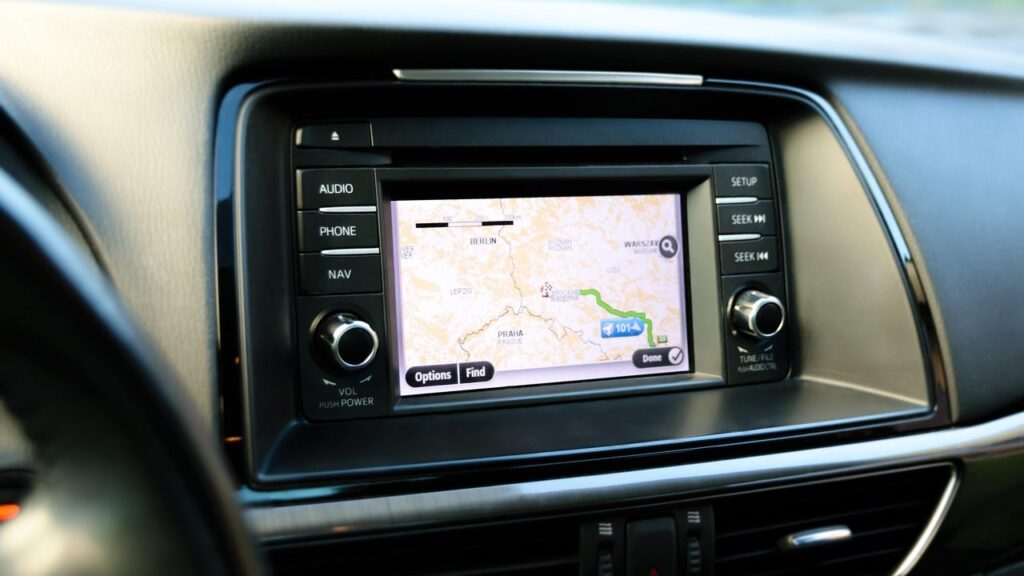
A Mazda navigation update is needed when the map no longer shows new bypasses, junctions or speed limits, and the system starts showing that you are driving across a field. On this page you will find which map version suits your Mazda and what to do if the system does not read the disc or SD card.
Mazda navigation is divided into four groups: two Denso systems with DVD (codes m1 and m2), a system with an SD card (m3) and Mazda Connect with an SD card (m4). Below we explain the differences, typical causes of faults and how the work is done. For more general information about systems of other brands, see the page navigation map updates.
Mazda navigation update prices
The price depends on the system type and the map package, so we give it over the phone.
| Service | Price | Warranty |
|---|---|---|
| Denso with DVD (m1: Mazda 3, 5, 6, RX-8) – map update | depending on the system | – |
| Denso with DVD (m2: CX-7, CX-9) – map update | depending on the system | – |
| SD card, 2010–2014 Mazda (m3) – map update | depending on the system | – |
| Mazda Connect with SD card (m4) – map update | depending on the system | – |
Most common Mazda navigation problems
Below are the symptoms people most often come to us with. Most of them can be sorted out in a single visit.
Mazda navigation shows old maps
The map version is outdated because the disc or card has not been replaced since the car was purchased. This is not a fault, but the natural ageing of the data.
What you can check yourself: In the system settings, check the map version year and write it down.
We update the maps according to the system type: for DVD systems or SD cards.
Mazda navigation does not detect the SD card
The card may be dirty, scratched, inserted incorrectly or damaged. In rarer cases, the problem is the card slot or the system software.
What you can check yourself: Turn off the ignition and check that the card is pushed in all the way. Do not touch or clean the contacts.
We check the card and the slot. If the card is faulty, we prepare a new one with maps.
Mazda Connect shows a message that there is no SD card, or an error
Most often the card is damaged, worn out or has lost its connection with the system. Sometimes the message appears after the battery has been disconnected.
What you can check yourself: Turn the system off and on again, and check that the card is pushed in all the way.
We diagnose the card and the system, and restore or replace the map card.
Mazda navigation does not read the DVD disc
The disc may be scratched or dirty, or the reader’s laser head may be worn. This is common in older Denso systems.
What you can check yourself: Inspect the disc for scratches or fingerprints. Wipe it with a soft cloth from the centre towards the edges, and try another disc.
We check the reader and the disc. If the disc is at fault, we prepare a new set.
The navigation does not show my location or shows it in the wrong place
This happens due to a weak GPS signal, a damaged antenna or connection, and sometimes outdated data. Parking in an underground car park or between tall buildings can also be a factor.
What you can check yourself: Drive to an open area and wait a few minutes. If it then shows the correct position, the problem was the signal.
We check the GPS module and antenna during diagnostics. We give the repair price after the inspection.
Mazda navigation freezes, closes or restarts
Causes: a damaged card, too much data, a software error. Sometimes the problem is caused by the card overheating.
What you can check yourself: Check whether it only freezes on long routes and whether the card gets hot.
We diagnose and resolve the issue: from rewriting the maps to checking the control unit.
Mazda Connect screen does not respond to controls
The control dial, the screen or the system software may be faulty. Symptoms: it does not respond or moves on its own.
What you can check yourself: Switch the system off and on again, and check that the control dial is not dirty.
We inspect the screen and the control unit, and agree on the exact amount after diagnostics.
Does Mazda navigation have a map of Croatia
People often look for a Croatian interface or maps for a trip to Croatia. In the map data, Croatia is included in all four sets, but the menu language depends on the system.
What you can check yourself: Look through the list of available languages in the system settings.
Tell us your system type and we will check whether a suitable set is available.
The update failed or the card is incompatible
The card or disc is intended for a different system or a car from a different year. Incompatible sets usually do not start.
What you can check yourself: Compare your system type (Denso with DVD, SD card or Mazda Connect) with what is indicated on the set.
We select a suitable set according to the model and year.
Which Mazda navigation version suits your car?
The map set is selected according to the system type and the car’s year of manufacture, not by model alone. The navigation systems of two generations of the same Mazda 6 can be completely different. Therefore, before ordering, check whether your car has a DVD reader or an SD card slot.
According to the list we have, the systems are divided as follows:
- m1 – Denso with DVD: Mazda 3 from 2005-09, Mazda 5, RX-8 from 2005-09, Mazda 6 from 2007 and the new Mazda 6 from 2008. The maps are supplied on three discs: Western Europe, Central and Northern Europe, and Eastern Europe with detailed Lithuania.
- m2 – Denso with DVD: Mazda CX-7 and CX-9. One disc is used here, with Eastern and Central European countries and detailed Lithuania.
- m3 – SD card (several models): 2010–2014 Mazda cars with an SD card. A 4 GB card with maps of all of Europe is used.
- m4 – Mazda Connect with SD card and 7-inch screen: Mazda 2 (2015–2016), Mazda 3 (2013–2016), Mazda 6 (2015–2016), CX-3 (2015–2016), CX-5 (2015–2016) and MX-5 Miata (2015–2016).
If your model or year is not on the list, it does not mean that an update is impossible. Call the navigation department and tell us the model, year and screen type, and we will check whether a suitable set is available.
Is it worth updating Mazda navigation maps?
Roads in Lithuania and Europe are constantly changing: roundabouts and new motorway sections appear, and traffic arrangements change. With old maps, the navigation may suggest a turn that no longer exists or a longer route because it does not know about a new road. The older the version, the more often this happens.
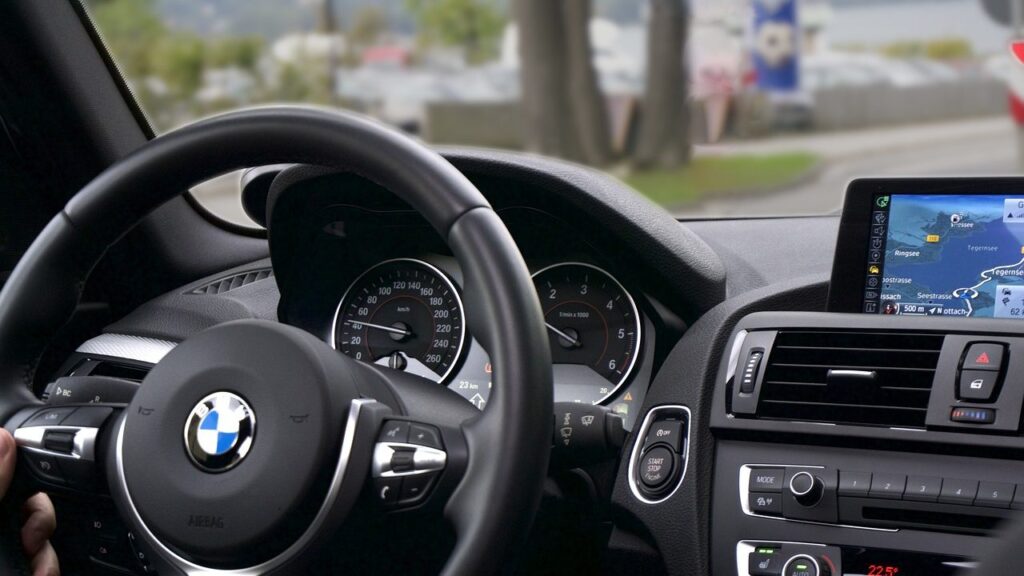
After updating the maps, you continue to use the car’s integrated navigation with the screen in the console. If you mostly drive only familiar routes, you can update less often, but before a long trip abroad it is worth checking the map year.
If the system itself is faulty (does not read the disc, does not start), diagnostics are needed first, not new maps. A new disc or card will not solve a hardware problem.
Which countries Mazda maps cover, including Croatia and the Balkans
Many people are interested in Mazda maps for Croatia because they are planning to travel to the Balkans. According to the lists, Croatia, Serbia, Bosnia and Herzegovina, Montenegro and Albania are included in all four sets: in m1 on the third disc, in m2 on the only disc, and in m3 and m4 on the SD card.
Western European countries (Spain, France, Italy, the United Kingdom) are on the first and second discs of m1 and on the m3 and m4 card, but they are not on the m2 disc. The system menu language depends on the specific software, so we cannot promise a Lithuanian or Croatian interface in advance. Lithuania is detailed on the map.
Sometimes it is assumed that maps can be copied to any SD card. The card is often tied to a specific system, so simple copying does not always work. It is better to check in advance.
If you will be travelling to several countries, check the list: Russia is included only in the SD card sets (m3 and m4), and it is not available for Denso DVD systems.
What to bring and how to avoid problems with the card or disc
Bring your SD card or disc, if you already have one, and tell us the car model and year. If you are not sure of the system type, just come in – we will determine it from the car’s equipment. There is no need to book or call in advance: drop by during working hours, and we will tell you on the spot whether you need to leave the card or come in with the car.
To make your system last longer, follow a few simple rules:
- do not remove the SD card while driving and do not leave it in the hot sun;
- keep the DVD in its case, not on the dashboard – scratches and heat damage the surface;
- if the system shows an error, do not press the buttons repeatedly – write down the text of the message;
- do not switch off the system during an update and do not remove the card until the process is complete.
Before any work, check which year the map information in the system settings shows, and tell it to the technician.
How a Mazda navigation update works
- Just drop by. No appointment is needed – come to any branch during working hours and tell us the car model, year and system type (DVD or SD card). This way you will immediately find out whether a suitable set is available.
- Come to the nearest branch. Visit our Vilnius, Kaunas, Klaipėda or Šiauliai branch Mon–Fri 9:00–18:00. Check whether you will need to bring the car, or whether the card or disc will be enough.
- We identify the system type. We check which system (m1–m4) is installed and which map version is currently in use.
- We discuss the price. We tell you the price before starting work. If a hardware problem is found, we discuss it separately.
- We update and check. We install the latest maps or replace the disc or card, and check that the system starts a route and finds your location.
- You collect the car or device. You collect it when the work is finished. If you have any questions, come back to the same branch.
Frequently asked questions about Mazda navigation updates
How much does a Mazda navigation update cost?
The price depends on the system type (m1–m4) and the map set. We will tell you the exact amount by phone once we know the model, year and system.
Is the update suitable for the Mazda CX-5, Mazda 3 and Mazda 6?
The Mazda CX-5 (2015–2016) is on the Mazda Connect list with an SD card (m4). The Mazda 3 has two variants on the list: from 2005-09 – Denso with DVD (m1), and 2013–2016 – Mazda Connect (m4). Mazda 6: from 2007 and the new one from 2008 – m1, 2015–2016 – m4. For models from other years, please check by phone.
Can the Mazda CX-3 navigation maps be updated with an SD card?
Yes, the 2015–2016 Mazda CX-3 is on the Mazda Connect list (m4), where the maps are stored on an SD card. For models from other years, please check by phone.
Can I update the maps myself with an SD card?
The card is often tied to a specific system, so simply copying files does not always work. If you got an error when trying, it is better to bring in the card and have the system checked.
How long does a Mazda navigation update take?
The duration depends on the system type and the map set, so we tell you the exact time when you place the order. No appointment is needed – come to any branch during working hours (Mon–Fri 9:00–18:00).
Is the system not reading the DVD – is it a map problem?
Not always. If the system does not read even a new disc, the reader may be dirty or worn. In that case diagnostics are needed, not new maps.
Are the branches open at weekends?
No, our branches in Vilnius, Kaunas, Klaipėda and Šiauliai are open Monday to Friday 9:00–18:00, and we are closed at weekends.