
Bring it to the nearest branch or call
- Vilnius Kareivių g. 11A +370 655 77057
- Kaunas Savanorių pr. 155 +370 639 69600
- Klaipėda Sausio 15-osios g. 13 +370 647 07741
- Šiauliai Gegužių g. 30 +370 682 29052
All branches are open Mon–Fri 9:00–18:00
Looking for how to update the car navigation in your Lexus? On this page you will find which navigation systems were installed in Lexus cars, how to identify them, which maps suit them, and why, without the correct startup procedure, the disc may get stuck.
Lexus navigation systems differ by year of manufacture, market (Europe or USA) and storage medium: some use DVDs, others a hard drive. Below you will find the system groups, the most common problems and a simple outline of how the work is carried out. If you are unsure about your system, call the car navigation phone number – the contacts are listed in the branch cards.
Car navigation update prices
The price of a Lexus navigation update is determined by the system type and the scope of the maps.
| Service | Price | Warranty |
|---|---|---|
| European-market Lexus, DVD – full Europe, 3 discs (code l1) | on request | – |
| European-market Lexus, DVD – Baltic countries + Russia (code l2) | on request | – |
| HDD navigation update – Lexus RX 2008–2012 (code l3) | on request | – |
| US Lexus Gen4 / Gen5 – Europe set, 3 discs (codes l4, l6) | on request | – |
| US Lexus Gen4 / Gen5 – Baltic countries + Russia (codes l5, l7) | on request | – |
| US Lexus Gen2 / Gen3 – one disc (code l8) | on request | – |
Most common Lexus navigation problems
Below are the symptoms for which Lexus owners look for a car navigation update or repair, and what can be done about them.
The navigation does not know new roads
The maps are outdated: the data in older systems has not been updated, and new roads, roundabouts and highways are not included. This is not a malfunction, just data becoming out of date.
What you can check yourself: Check which map version is shown in the navigation menu and note down the car’s year of manufacture.
We update the maps according to the system type: a Baltic countries set or a full Europe set.
The navigation disc is stuck
A common cause is that a new disc was inserted without performing the startup procedure, so the system cannot read it and does not eject it. Sometimes the disc mechanism is also at fault.
What you can check yourself: Do not try to pull the disc out by force and do not shake the unit. Do not touch the battery or other electrical parts yourself – contact a branch.
The technician removes the disc, checks the system and restarts it.
The navigation shows Chinese characters
This is a state that should appear during the startup procedure before a new disc is inserted. In other cases, the text may mean that the software has malfunctioned.
What you can check yourself: Do not disconnect the battery or touch electrical parts yourself. Do not press any buttons and contact a branch.
We diagnose the system, insert the correct disc and check that all menu sections work.
The map disc is not readable or „disc error” is displayed
The disc may be scratched, in the wrong format, or intended for a different system, for example a US one rather than a European one. Sometimes the problem is a worn laser reader.
What you can check yourself: Check that the disc is clean and has no scratches, but do not clean it with chemicals.
We identify the system type and select the right disc, and if the reader’s mechanics are at fault, we will give you the price after diagnostics.
Navigation cannot find a GPS signal
Possible causes: a faulty or disconnected antenna, a wiring problem, or a software error.
What you can check yourself: Try it in an open area, not in an underground car park or between tall buildings, and wait a few minutes.
We run diagnostics to determine whether the problem is in the antenna or in the system; the price is provided after the inspection.
The screen does not respond to touch
Due to age, the touch layer or the screen connectors may wear out. Sometimes the fault is only software-related.
What you can check yourself: Wipe the screen with a dry microfiber cloth and check whether it fails to respond only in certain areas.
We diagnose the screen and the system; the price depends on the model.
Lexus RX navigation with HDD shows errors
Data stored on the hard drive may be corrupted, or the software version may not match. Old drives also physically wear out.
What you can check yourself: Write down the error text or photograph the screen so that the technician can determine the cause more easily.
We update the HDD system with detailed Lithuania and full Europe.
How to update your car navigation if you do not know the system type
Many owners do not know whether their car has an EU or US system, which determines the right map set.
What you can check yourself: Photograph the start-up screen, write down the year of manufacture, and look for the B9xxxx marking on the screen bezel.
We identify the system from photos, the screen’s appearance and the year, and then select the right map set.
How to update Lexus car navigation: which systems exist
In older Lexus models, navigation works with map discs or with an internal hard drive. Depending on the year of manufacture and the market the car was built for, the systems are divided into several groups, and each one requires a different map set.
European market (EU) Lexus vehicles with a touchscreen and DVD system, marked with B9000–B9030 serial numbers, are assigned to Gen03, Gen05 or Gen08 systems. For such cars, manufactured in 2004–2012, a full Europe set of three discs or a shortened Baltic countries version is available.
American (US) Lexus vehicles imported to Lithuania use Denso Gen2–Gen5 systems. Maps with detailed Lithuania are also available for them, but the set is selected according to the car’s year and the screen’s appearance.
- European Lexus, DVD, full Europe – three discs covering Western, North-Eastern and South-Eastern Europe (code l1).
- European Lexus, DVD, Baltic countries – one disc: Lithuania (detailed), Latvia, Estonia and Russia (code l2).
- Lexus RX 2008–2012 with HDD – hard drive system update: detailed Lithuania and full Europe (code l3).
- US Lexus Gen4 and Gen5 (Denso 2.4X) – a European set of three discs (codes l4, l6) or only the Baltic countries and Russia (codes l5, l7).
- US Lexus Gen2 and Gen3 (Denso 2.3) – one disc for Central and Eastern Europe with detailed Lithuania (code l8).
Before calling, find out your car’s year of manufacture and photograph the navigation start-up screen – this makes it easiest to identify the system.
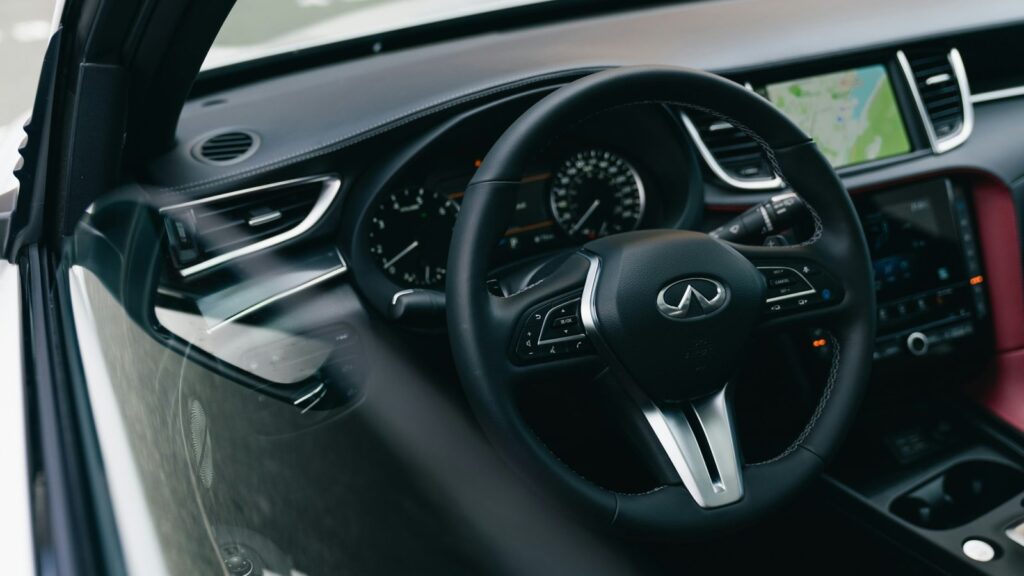
Car navigation update: how to identify your system
The main mistake is choosing the wrong map set. European and US Lexus systems may look similar on the outside but are different, so a mismatched version will not work or will work incorrectly.
We usually identify a European system with DVD by the following features:
- the B9xxxx model marking is most often written on the screen bezel, usually at the bottom right;
- an SD card is not used for the maps;
- the car has no internal hard drive;
- the screen is a touchscreen;
- the car was manufactured in 2004–2012;
- the start-up screen picture and background colour match one of the known variants.
US-market Lexus vehicles are identified by make, model, year of manufacture and start-up screen. Often the first thing displayed is a consent message with an „I agree” button (in Lithuanian – „sutinku”), followed by the menu.
Why the disc requires a start-up procedure
For European DVD systems, a certain sequence must be performed before inserting a new disc. The old disc is removed, the battery is briefly disconnected, and after switching on the ignition, Chinese characters should appear on the screen and nothing should be loading. Only then is the new disc inserted.
If the disc is inserted without performing these steps, it may get stuck in the system or the maps may work incorrectly. Do not tamper with the battery or other electrical parts of the car yourself – it is better to leave this work to a technician.
We also update systems of other brands. Lexus is a Toyota group brand, so it may be useful to also view the TOYOTA navigation page.
Is it worth updating an old Lexus navigation system?
An old map simply does not know about new roads, roundabouts and highway sections, so during a trip it may direct you through a turn that no longer exists. When the maps are updated, the original system is retained, integrated with the screen and control buttons.
If the navigation display still works well but the maps are old, an update is a sound decision. If the system freezes often, the screen does not respond or the hard drive makes errors, it is worth first determining whether the problem is in the software or in the hardware. You can read about how satellite navigation works in the article How a GPS navigation system works.
If you drive another car as well, see the general navigation update page, and information for portable navigation devices is on the page TomTom, Garmin, iGo update.
The update does not change the system’s functions. An older model’s navigation will not start showing traffic jams online; it will only receive newer map data.
How the navigation update works
- You prepare the information. Find out the car model and year of manufacture and, if you can, take a photo of the navigation start-up screen and the marking on the screen frame.
- You come to a branch. You can bring your car navigation to the Vilnius, Kaunas, Klaipėda or Šiauliai branch Mon–Fri 9:00–18:00 – there is no need to register or call in advance.
- We identify the system. Based on the model, year and screen appearance, we determine whether it is an EU or US system, and select the map set.
- We discuss the price. Before starting work, we tell you the price and warranty terms.
- We update the maps. We perform the start-up procedure, insert a new disc or update the HDD, and check that the system works.
- You collect your car. We check that the maps and new roads are displayed, and then you can drive away.
Frequently asked questions about Lexus navigation updates
How much does a car navigation update cost?
The price depends on the system type and the map coverage: a full Europe set of three discs and a Baltic-only disc differ. We will tell you the exact amount once we know the car’s year and the system variant.
How do I update the navigation in a Lexus car?
Older systems use DVDs or an updated HDD, and before inserting a new disc the start-up procedure must be performed. For this reason, it is most convenient to contact a branch, where the system is identified and a suitable set is selected.
Is a car navigation update available in Kaunas and Vilnius?
Yes, we work in Vilnius (Žirmūnai), Kaunas (Žaliakalnis), Klaipėda and Šiauliai. All branches are open Mon–Fri 9:00–18:00 and closed on weekends.
What is the difference between European and US Lexus navigation?
The system software and start-up screen differ, so map sets are not interchangeable. European and American model sets have separate codes, and we select the appropriate one according to the car’s year.
Which Lexus years is the update suitable for?
Our list of systems covers cars from 2001 to 2012, depending on the model and system generation. Navigation systems in newer models work differently and these discs usually do not cover them.
Will my settings be erased after updating the maps?
A map update changes road data, but when the battery is disconnected, some settings may be lost, for example radio stations or the clock. You may need to enter them again.
What should I do if the disc is stuck?
Do not try to pull it out by force. Bring the car to a branch – a technician will assess why the disc got stuck and check the system.
Where can I read other customers’ opinions?
You will find reviews on the page Taisykla7 reviews.