Bring it to the nearest branch or call
- Vilnius Kareivių g. 11A +370 655 77057
- Kaunas Savanorių pr. 155 +370 639 69600
- Klaipėda Sausio 15-osios g. 13 +370 647 07741
- Šiauliai Gegužių g. 30 +370 682 29052
All branches are open Mon–Fri 9:00–18:00
Looking for how to carry out an Opel navigation update, but don’t know which system is installed in your car? Opel used several different generations of navigation systems, and the maps made for them are not compatible with each other. A disc intended for the DVD90 system will not work in an Insignia with CD500, and an SD card for the NAVI 600 / 900 system will not work in an older Zafira.
On this page we have described the main Opel (Vauxhall) navigation systems that we update: from older CD and DVD systems to NAVI 600 / 900 with an SD card. You will find out how to identify your system, which cars it fits, what the map package depends on and how the work is done at our branches.
Opel navigation update prices
The price depends on the system type and the selected countries, so we discuss it before starting work.
| Service | Price | Warranty |
|---|---|---|
| CD500 / DVD800: map update on the internal drive (selected countries) | to be discussed | – |
| NAVI 600 / NAVI 900: maps on an SD card | to be discussed | – |
| DVD90 / DVD100 / CD70 / NCD: map discs | to be discussed | – |
| Language installation for the CD70 system | to be discussed | – |
Most common Opel navigation problems
Below are the symptoms people most often come to us with, and general causes. Only an inspection can determine the exact cause.
Opel navigation shows an old map
The system still has old maps, and new roads and points of interest are missing. Most often this is simply data that has not been updated.
What you can check yourself: Look at the label on the head unit and write down the VIN code – that is enough to discuss the update.
The latest maps are installed according to your system type: disc, internal hard drive or SD card.
Opel navigation does not include Lithuania or another country
In CD500 / DVD800 systems the internal memory is limited, so not all countries fit at the same time. Some systems simply have a different set of countries installed.
We select country packages that fit into the available memory, for example the Baltic states and Poland.
The navigation does not read the disc
The disc may be unsuitable for this system, dirty or scratched, or the reader may be faulty.
What you can check yourself: Make sure the disc is intended specifically for your system and is not scratched.
We check whether the disc is suitable for the system and assess whether the problem lies in the disc or in the device.
NAVI 600 / 900 does not recognize the SD card
The maps on the card may not be suitable for your model, or the card may be damaged.
What you can check yourself: Remove and reinsert the card, and check that its contacts are clean.
Suitable maps are installed according to your car’s date of manufacture and system.
How to identify which navigation system is installed in your Opel
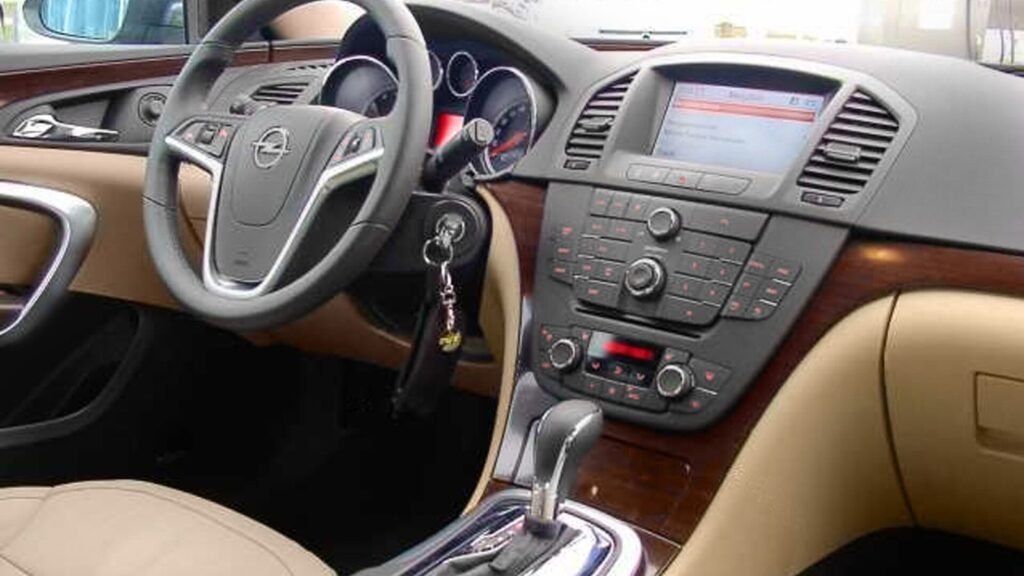
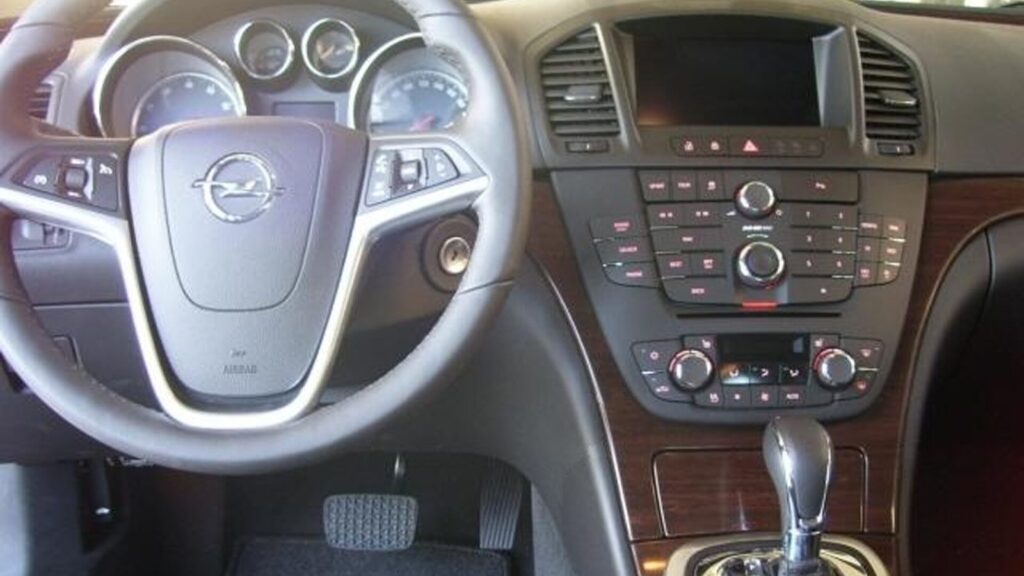
The most important thing is to know the system name. It is printed in the top right corner of the head unit, and on NAVI 600 / 900 and CD500 / DVD800 systems – between the knobs. This marking determines the right disc, SD card or map package.
Pay attention to the details. A CD70 system must not have the NCD marking – if it does, it is a different system, the Siemens NCD. The same principle applies to NCDR, NCDC and similar variants: what matters is that any letter follows „NCD”.
- DVD90 – marking in the top right; Astra and Astra GTC, Combo Tour and Cargo, Corsa, Meriva, Signum, Tigra / Twintop, Vectra and Zafira from 2005.
- CD70 / VDO-Dayton Philips CARiN – marking „CD70” without NCD; the same models from 2005, while Astra, Corsa, Vectra, Zafira and Omega also fit if built up to 2001. Languages can also be installed for this system.
- DVD100 – Antara (2006–2012) and Corsa D (2006–2010).
- NCDR / NCDC (Siemens) – for example, Astra and Astra Coupe 2000–2004, Vivaro 2000–2006, Frontera 2000–2008, Zafira 2000–2005, Signum and Omega 2003–2006.
- CD60 / CD80 (Delphi) – Antara and Corsa from 2006; the map disc available for this system covers Russia only.
- CD500 / DVD800 – Insignia, Astra J and Meriva B, built in 2008–2011 (exact dates are in the next section).
- NAVI 600 / NAVI 900 – Astra J, Insignia, Meriva B, Mokka, Zafira Tourer and Cascada, built in 2011–2014.
Before you come, take a photo of the head unit and write down the VIN code – this will help us identify more quickly which system your car has.
Insignia, Astra J, Meriva B: which map set fits
The most common questions are about Opel Insignia navigation updates, Astra J and Meriva B. These models were built with different systems, and the right option is determined by the production date and the 10th character of the VIN (for example, W0LxxxxxxxBxxxxxx).
In all cases this is only an example, and we confirm the exact system based on your car. If you are looking for an Opel Insignia navigation disc, please note that with CD500 / DVD800 the disc’s maps are written to the internal hard drive, so there is no single disc for all models.
- CD500 / DVD800, 2009–2010 (VIN 10th character 9 or A): Insignia 10/2008–08/2010, Astra J 12/2009–08/2010, Meriva B 06/2010–08/2010.
- CD500 / DVD800, 2011 (VIN 10th character B): Insignia, Astra J and Meriva B, built 08/2010–08/2011.
- NAVI 600 / NAVI 900 with SD card: Insignia 08/2011–08/2013, Astra J, Meriva B and Zafira Tourer 08/2011–01/2014, Mokka 10/2012–01/2014, Cascada 04/2013–01/2014.
Tell us the VIN code and year of manufacture – they clearly show whether the 2009–2010, the 2011 or the NAVI 600 / 900 variant fits your car.
A cheaper option: updating only the internal hard drive
CD500 and DVD800 systems have an internal drive, so maps of all European countries will not fit. How many countries fit depends on the size of the car’s internal memory. Updating only the internal hard drive, instead of buying a disc, is a cheaper solution.
In 2009–2010 cars (VIN 9 or A), the CD500 has 1 GB of total memory, with about 500 MB free; the DVD800 has 2 GB of total memory, with 1.17 GB free. In 2011 cars (VIN B), the CD500 and DVD800 both have 2 GB, with 1.17 GB free. For example, the Baltic countries, Poland or other similar countries will fit, and with 2 GB, the UK with Ireland as well.
Maps are assembled in packages: Baltic countries (Lithuania, Latvia, Estonia) – 135 MB, Poland – 296 MB, Czechia–Slovakia–Hungary – 312 MB, Scandinavia – 641 MB, UK–Ireland – 652 MB, Germany – 953 MB, France – 1.01 GB.
How the update works and how long it takes
The update is carried out by branch specialists. On the CD500 / DVD800 system it goes as follows: the car is started, the disc is inserted into the front panel, and if the system offers to update the software, you accept. Then press CONFIG and select Settings, Navigation Settings, Map Data Add / Remove.
During copying, there is no need to press CANCEL: the system will still finish the entire copying and only then cancel the action. About 1 GB of maps takes around 30 minutes to copy, so the time depends on the size of the package of selected countries.
It is best to discuss the exact time in advance, once your system and the selected countries are known.
Where to come and other useful links
Our branches operate in Vilnius, Kaunas, Klaipėda and Šiauliai. All are open Mon–Fri 9:00–18:00 and closed on weekends. For car navigation enquiries there is a separate phone number, which you will find at the bottom of the page or on the contacts page.
You can find general information about other brands on the page about navigation map updates. And if you are interested in how satellite navigation works in general, read the article about how a GPS navigation system works.
How the update works
- Identify the system. Look at the marking on the head unit (DVD90, CD70, CD500, NAVI 600, etc.) and write down the VIN code.
- Contact us. For car navigation enquiries, call the separate phone number or visit a branch Mon–Fri 9:00–18:00.
- Discuss the countries and price. Together we choose the map package and discuss the price and duration before starting the work.
- We update the maps. Branch specialists install the maps: 1 GB takes about 30 minutes to copy.
- Check the result. Before you leave, make sure the navigation shows the new maps and the selected countries.
Frequently asked questions about Opel navigation updates
How can I find out which navigation system my Opel has?
The name is printed in the top right corner of the head unit (e.g., DVD90, CD70, DVD100) or between the knobs (CD500, DVD800, NAVI 600, NAVI 900). If you are unsure, take a photo of the head unit and write down the VIN code.
Which VIN character determines the CD500 / DVD800 variant?
Look at the 10th VIN character. The letter B means the 2011 variant, while 9 or A means the 2009–2010 variant.
Will all European countries fit on the CD500 / DVD800?
Usually not. The maps are written to the internal drive, so countries are selected in packages according to the available memory, for example, the Baltic states and Poland.
How long does it take to write the maps?
Copying about 1 GB of maps takes about 30 minutes. The total time depends on the size of the selected country packages.
How much does an Opel navigation update cost?
The price depends on the system type and the selected countries. We will tell you the exact amount once we know your system, before any work begins.
Can other languages be installed?
For the CD70 / VDO-Dayton Philips CARiN system, English, French, German, Spanish, Danish, Italian, Dutch and Swedish can be installed.